

Viber is privacy-focused, so “Viber monitoring” is rarely as simple as marketing pages make it sound.
uMobix can be useful for Viber oversight on a device you’re authorized to manage—mostly by combining activity history + live screenshots + overall device usage patterns.
This review is written for legal, authorized use only (your phone, a shared device, or a device you manage with clear permission—like a child’s phone). If you don’t have authorization, skip to the legal notes at the end.
Short on time? Quick verdict
- Best fit: Android devices you can configure properly (permissions + battery settings).
- What uMobix is best at for Viber: spotting patterns + verifying activity through screenshots/history (when setup stays stable).
- What it’s not: guaranteed “read everything” access in every scenario—especially on iPhone-style setups.
Check uMobix plans Or compare Viber options: best Viber monitoring apps
Quick jump: 60-second checklist · Verdict · Comparison table · What you can really see · Best for your situation · Setup tips & common failures · Reviews · Legal notes · FAQ
60-second decision checklist
- Authorization: is this your phone, a shared device, or a device you’re legally allowed to manage?
- Android or iPhone? Android is usually more consistent for ongoing monitoring.
- Your real goal: do you need “Viber proof,” or do you need safety-focused patterns (who/when/how often)?
- Reliability plan: can you manage permissions + battery optimization after updates?
- One app per device: stacking monitoring apps often causes missing data and battery drain.
Verdict: Is uMobix good for Viber monitoring?
Yes—if you treat it as a pattern + verification tool on an authorized Android device. uMobix is most useful when you need:
- Activity history to understand usage patterns (when Viber is used, how often, alongside what other apps)
- Live screenshots to verify what’s happening in “real moments” (instead of assuming logs are perfect)
- A practical dashboard that supports ongoing family oversight
But it’s not magic. Viber is private, devices change settings after updates, and background restrictions can break reporting. If you want the most direct “Viber tracking” positioning, mSpy is usually the alternative people compare against.
Need a broader context before choosing? Use the apps comparison table.
Comparison table: uMobix vs other Viber monitoring options
This table focuses on real-life outcomes: consistency, verification, and “what you can actually see.”
| App | Best on | Viber monitoring approach | Strengths | Where people get disappointed |
|---|---|---|---|---|
| uMobix | Android-first | Best as patterns + verification (activity history + live screenshots) on authorized devices. | Practical Android workflow; strong when permissions/battery settings are stable. | Battery optimization/updates can create gaps; expecting “everything, always.” |
| mSpy | Android + iPhone (setup-dependent) | More direct “Viber tracking” positioning + broad monitoring suite. | All-in-one dashboard; strong for broader oversight. | iPhone access/sync changes can cause missing periods; maintenance after updates. |
| Eyezy | Android (strong), iPhone (varies) | Social-centric views + general communication pattern visibility. | Beginner-friendly dashboard. | Same dependency: stable permissions/notifications/background activity. |
| Moniterro | Android (basic) | Basic oversight signals that can support Viber monitoring (authorized use). | Simpler needs and budgets. | Less depth than bigger ecosystems. |
What you can really see: Viber + uMobix (hype vs reality)
1) “Live screenshots” are often the most honest feature
Viber content is private, and “perfect logs” are not guaranteed. Live screenshots help with verification because they show what’s on the screen at a given moment (assuming the device setup supports reliable background operation).
Best use: safety-focused check-ins (e.g., verifying risky conversations, bullying signs, or unknown contacts on a child’s authorized device).
2) Activity history is where patterns become obvious
For most families, what matters is not reading every line—it’s seeing patterns:
- When Viber usage spikes (late nights, school hours, weekends)
- Whether Viber becomes the “primary channel” suddenly
- What other apps appear alongside it (new messengers, vault apps, alternate browsers)
3) Android vs iPhone: reliability differences
- Android: usually more consistent because you can manage permissions and background access more directly.
- iPhone: often more sensitive to access/sync changes. If your setup depends on ongoing access and it changes, you can see gaps.
Use these safe setup guides to avoid the most common mistakes:
Best for your situation
Best for parents (authorized devices)
If your goal is child safety, uMobix can be a strong pick when your household is Android-first and you want practical oversight. Start broader if you’re still deciding: The Best Parental Control & Phone Monitoring Apps.
Best for Android households that want “verification + patterns”
When you can control Android permissions and battery settings, uMobix’s workflow (activity + verification) is often more realistic than chasing “perfect message logs.”
Best if you want a Viber-specific tutorial next
If you want a step-by-step walkthrough (still authorized use only), read: how to use uMobix for hidden Viber monitoring.
Setup tips & common failures (why Viber monitoring goes “patchy”)
- Battery optimization kills background work (Android): exclude the monitoring app from aggressive battery saving.
- Permissions reset after updates: after OS updates, re-check key permissions and background access.
- Don’t stack monitoring apps: one app per device is the safest path for stability.
- Use a simple maintenance routine: a 2-minute monthly check prevents “why did it stop updating?” panic.
For a broader uMobix baseline (setup + expectations), see: uMobix for Android: review & setup.
Reviews
uMobix (Viber monitoring angle)
Description: uMobix is an Android-first monitoring tool that works best when you treat “Viber monitoring” as pattern awareness + verification. Live screenshots and activity history can help confirm what’s happening in real life—on devices you’re authorized to manage.
Product highlights:
- Android-first practicality and daily monitoring workflow
- Verification angle via live screenshots (when setup remains stable)
- Useful activity history for spotting Viber-related patterns
What’s to like:
- Great fit for Android households where you can manage permissions and battery settings
- Focuses on real-life signals, not “magic access” promises
What’s not to like:
- Battery optimization and permission changes can cause gaps
- Not a guaranteed “read everything in Viber always” solution
PROS:
- Strong Android workflow
- Good for patterns + verification
- Practical for parent-style oversight
CONS:
- Setup-sensitive reliability
- Not ideal if you expect perfect Viber message access in every scenario

mSpy (strong alternative for Viber-specific tracking)
Description: If you want a more direct “Viber tracking” positioning alongside a broader monitoring suite, mSpy is the most common alternative. It’s often chosen when you want an all-in-one dashboard rather than an Android-first practical workflow.
Product highlights:
- Direct Viber tracking positioning
- All-in-one monitoring dashboard
What’s to like:
- Broader ecosystem beyond just Viber
What’s not to like:
- iPhone setups can be more maintenance-heavy depending on access/sync method
PROS:
- Strong “Viber tracking” angle
- Good for broader oversight and reports
CONS:
- Setup-dependent reliability, especially when access/sync changes
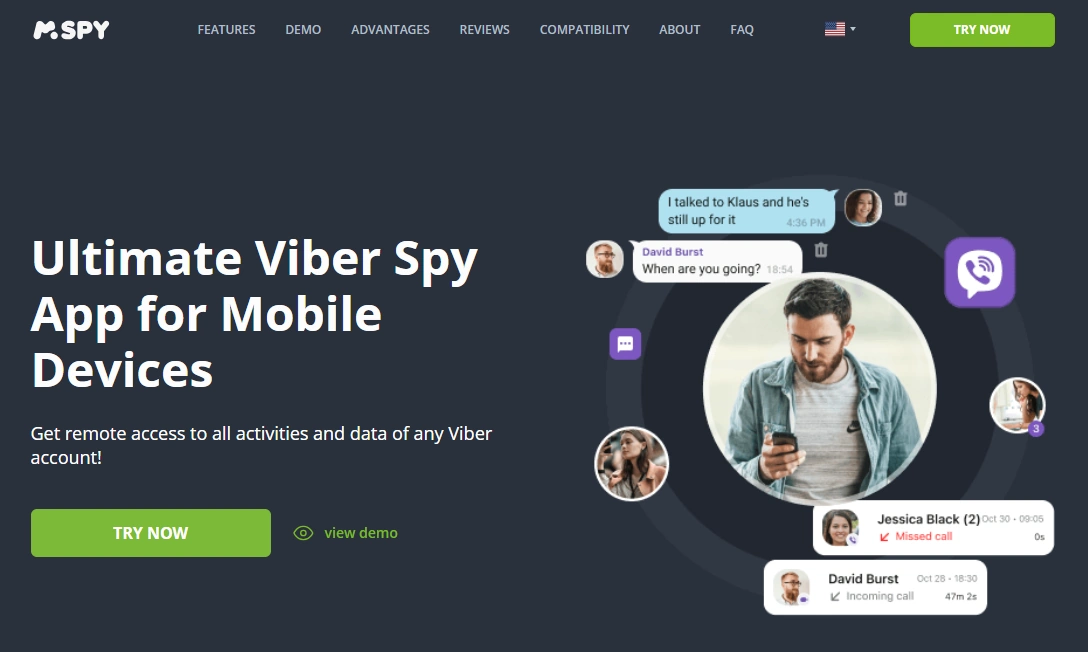
Eyezy (easy dashboard alternative)
Description: Eyezy is often picked by non-technical users who want a simpler dashboard and social-centric viewing. For authorized Viber oversight, it’s a solid option when you prioritize usability and routine check-ins.
Product highlights:
- Beginner-friendly interface
- Social-focused viewing style
What’s to like:
- Easy to navigate
What’s not to like:
- Like all tools, depends on stable permissions/settings
PROS:
- Simple UI
CONS:
- Can become patchy after updates/settings changes

Legal notes (short, but essential)
Monitoring someone’s device without permission can be illegal and a serious privacy violation. Use monitoring tools only on devices you own, shared devices, or devices you’re clearly authorized to manage (for example, a child’s phone), and follow local laws.
FAQ
Can uMobix monitor Viber messages reliably?
uMobix is most reliable on Android when permissions and battery settings stay stable. For Viber, it’s best used for patterns + verification (activity history and screenshots) rather than expecting perfect “every message” access in every case.
Does uMobix work better on Android or iPhone for Viber?
Android is usually more consistent. iPhone setups tend to be more sensitive to access/sync changes and can show gaps if settings change after updates.
What do “live screenshots” actually help with?
They help verify what’s happening on-screen at specific moments, which can be more realistic than expecting perfect logs for a private messenger like Viber.
Why does Viber monitoring sometimes become patchy?
The most common causes are battery optimization killing background activity, permissions being reset after OS updates, and stacking multiple monitoring apps on one device.
Is uMobix the best Viber monitoring app overall?
It’s a strong Android-first option for practical oversight. If you want a more direct Viber tracking positioning and a broader suite, mSpy is a common alternative. See: best Viber monitoring apps.
Is it legal to monitor Viber with uMobix?
It depends on authorization and local law. It’s typically legal only on devices you own, share, or are clearly allowed to manage. If consent isn’t crystal clear, don’t proceed.