

uMobix is popular on Android, but the big question parents ask is simpler: does uMobix actually work on iPhone on modern iOS versions?
Because iOS is stricter than Android, iPhone monitoring is always “method-dependent.” That means your results depend less on marketing claims and more on what kind of access you can legitimately set up (Apple ID, iCloud, device ownership, and consent).
This review covers uMobix on iPhone in real-life terms: what you can reasonably expect today, what tends to disappoint, and how to avoid buying the wrong tool for your situation.
Short on time? Quick verdict
- Worth considering if you can set it up properly for iPhone and you mainly want a structured dashboard (not “instant everything”).
- Best for parents/guardians managing a child’s iPhone (legit access matters more than features).
- Not ideal if you don’t control the Apple ID/2FA environment or you expect Android-level data access on iOS.
Quick jump: Decision checklist · Verdict · Comparison table · What really matters on iOS · Best for your situation · Setup tips · uMobix review · Legal notes · FAQ
60-second decision checklist
- Do you own/manage the iPhone (child device)? If not, don’t proceed.
- Do you control the Apple ID/2FA environment? If no, expect setup headaches and limited reliability.
- What’s your real goal? Safety oversight (location + basic activity) is more realistic than “every message instantly.”
- Do you want no-jailbreak? Then accept iOS limitations and choose tools accordingly. See: best iPhone monitoring apps without jailbreak.
- Need a “safe + legal” setup plan? Use: iPhone monitoring app setup (safely & legally).
- Not sure which app fits your constraints? Read: how to choose the right iPhone monitoring app.
Verdict: should you trust uMobix on modern iOS?
uMobix can be a workable choice on iPhone if you go in with the right expectations: iOS monitoring depends on your legitimate access and the setup route you can support.
If your goal is a parent dashboard that helps you keep an eye on a child’s phone use patterns, and you’re willing to follow a proper setup process, uMobix is worth considering. If you expect Android-level access and “real-time everything,” you’ll likely be disappointed.
See uMobix iPhone Tracker View uMobix official site
uMobix for iPhone vs other iOS paths (what’s different)
| Option | Best for | Strength | Trade-off |
|---|---|---|---|
| uMobix (iPhone) | Parents/guardians wanting a structured dashboard | Clear “tool approach” vs DIY settings | iOS limitations; reliability depends on setup + Apple ID environment |
| Built-in iPhone parental controls | Families who want limits, approvals, downtime | Safe, native, consistent if configured correctly | Less “visibility”; more about prevention than monitoring |
| Alternative iPhone monitoring apps | You want to compare reliability + constraints | Different trade-offs per tool | Still iOS-limited; choose based on your setup reality |
Helpful comparisons before you choose: top parental control apps · best iPhone apps without jailbreak · iPhone apps without Apple ID password · iPhone apps without Apple ID/iCloud password
What really matters on iPhone (modern iOS testing mindset)
1) “Works on iPhone” does not mean “works like Android”
On Android, monitoring tools can feel more direct. On iPhone, the same tool can behave differently because iOS limits background access. That’s why you should judge an iPhone tool by stability and realistic data flow, not by a giant feature list.
2) The Apple ID / 2FA environment is the real gatekeeper
Most reliability problems on iPhone come from account environment issues: 2FA prompts you can’t approve, iCloud settings changing, backup/sync disabled, or a child toggling settings. If you want a clean plan, follow: safe & legal iPhone setup.
3) Update speed matters more than “accuracy”
Parents usually don’t need a perfect dot on a map — they need a predictable routine: “arrived,” “still there,” “on the way home.” A tool that updates consistently is more useful than a tool that is sometimes “accurate” but often stale.
If location tracking is your primary goal, consider combining expectations with a family approach (check-ins + rules) instead of relying on one dashboard alone.
4) Reliability beats “monitoring fantasies”
If your goal is child safety, you want boring reliability: fewer data gaps, fewer login problems, fewer “why isn’t it syncing?” days. That’s the correct way to judge uMobix on iPhone.
Best for your situation
Best if you want a structured iPhone monitoring dashboard (parents/guardians)
uMobix is most useful when your setup reality matches iOS constraints and you want a single place to review activity patterns.
Best if you want prevention (limits, approvals, downtime) instead of monitoring
If your main goal is “reduce risky behavior” rather than “see everything,” start with solid built-in controls and routines. Then add monitoring only if you still need it.
Decision helper: choose the right iPhone app based on constraints.
Best if you don’t have Apple ID / iCloud access
Be careful. Many tools depend on account stability. Use a guide built for that situation before you buy anything:
without Apple ID password · without Apple ID/iCloud password
Setup tips & common issues (iPhone)
- Do the “legal access” check first: only monitor devices you own/manage as a parent/guardian.
- Stabilize the Apple ID environment: if 2FA and recovery are messy, monitoring will be messy too.
- Don’t chase instant updates: on iOS, consistent updates beat “live tracking” expectations.
- Keep permissions and settings consistent: the most common failure is settings changing over time.
- Use a proven process: setup safely & legally.
uMobix for iPhone review
Description
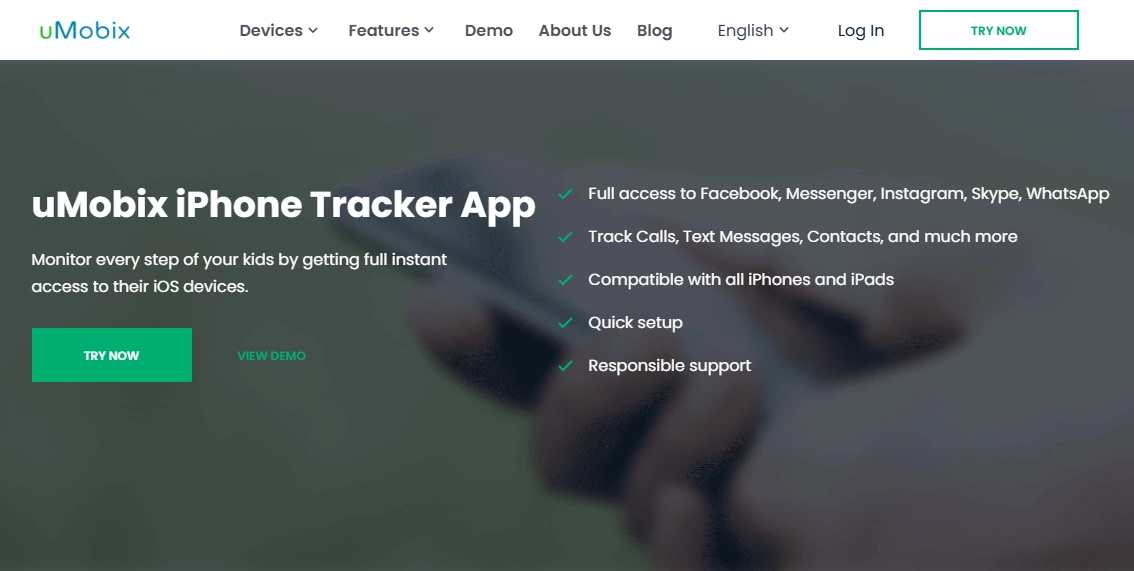
uMobix is positioned as a monitoring tool that helps parents review a child’s phone activity from a dashboard. On iPhone, the experience depends heavily on iOS constraints and how you can legitimately set up access. When configured correctly, it can be useful for pattern-based oversight. When the Apple ID/2FA environment is unstable, reliability can drop.
Product highlights
- iPhone-oriented monitoring approach through a parent dashboard
- Designed for parents/guardians managing a child device
- Works best with stable Apple ID/iCloud environment and consistent settings
- Practical for reviewing usage patterns rather than expecting “instant everything”
What’s to like
- Clear “tool workflow” for parents who don’t want to piece together multiple settings
- Useful when your goal is safety oversight and routine (not perfection)
- A reasonable fit for families comparing iPhone monitoring options
What’s not to like
- iOS limitations mean fewer guarantees than Android-style access
- Apple ID/2FA friction can be a real blocker if you don’t control the environment
- Some features may be less consistent on iPhone depending on the setup method
PROS
- Good for parents who want a structured dashboard on iPhone
- Best results when used for patterns + safety routines
- Works as part of a broader “boundaries + check-ins” parenting approach
CONS
- Method-dependent on iOS; your constraints define your outcome
- Not ideal for users expecting Android-like depth and real-time behavior
- Requires stable setup discipline (Apple ID, permissions, consistency)
Get uMobix iPhone Tracker Visit uMobix official site

Legal notes
Use monitoring tools only on devices you own or manage (for example, your child’s iPhone as a parent/guardian). Avoid covert monitoring of other adults without consent. For clear boundaries, read: Legal phone tracking: what’s allowed and what’s not.
FAQ
Does uMobix really work on iPhone on modern iOS?
It can, but iPhone monitoring is method-dependent. Your results depend on legitimate access to the device/account environment and a stable setup process.
Do I need jailbreak for uMobix on iPhone?
Many parents prefer no-jailbreak options. The trade-off is that iOS limitations can affect how much data is available and how quickly it updates. See: best iPhone apps without jailbreak.
Why does iPhone monitoring feel less “real-time” than Android?
Because iOS restricts background access more strongly. Some monitoring methods depend on sync patterns and settings stability rather than constant background collection.
What’s the most common reason uMobix iPhone setups fail?
Apple ID/2FA and iCloud environment issues: not having legitimate access, settings changing, or sync/backup configuration problems.
Is uMobix legal for parents to use?
Parents/guardians generally can use monitoring on a child device they own/manage, but laws vary by location. Avoid monitoring other adults without consent and follow legal/ethical guidance.
Should I choose uMobix or another iPhone monitoring app?
Start with constraints (Apple ID access, 2FA, device ownership) and your real goal (prevention vs monitoring). This guide helps you decide: how to choose the right iPhone monitoring app.