

If you’re not a “tech parent,” most parental control guides feel like homework: accounts, permissions, Apple IDs, Google Family Link, screen time, downtime, exceptions… and one wrong tap creates a loophole.
A kids phone with Parentaler built-in is meant to solve that problem: you get a phone setup where the parental controls are already part of the experience—so you’re not building a safety system from scratch.
This review is written for real life: what’s genuinely simple, what still needs attention, and whether Parentaler is a better fit than alternatives like a kid-first phone approach or a locked-down iPhone/Android setup.
Short on time? Quick verdict
- Best for non-techy parents: Parentaler is a strong choice if your goal is simple controls (calls, texts, web filtering) without constant tinkering.
- Best for “no-loopholes first phone”: consider a kid-first phone (often less bypass drama). See: kids phones with built-in parental controls.
- Not ideal if you want full teen freedom: if your kid truly needs a normal smartphone experience, plan for a stricter iPhone/Android setup and ongoing maintenance.
Quick jump: Decision checklist · Verdict · Comparison table · What really matters · Best for your situation · Setup tips · Review · Legal notes · FAQ
60-second decision checklist
- If you want simple, “set it up and manage it” controls: Parentaler is a good fit.
- If your biggest fear is social apps + DMs: prioritize app install approvals and strict bedtime downtime (device choice matters).
- If your child is under 13: start with a safety-first plan and tighten contacts + web filtering. See: safest parental controls for kids under 13.
- If your child is techy/sneaky: consider a more locked-down “kid-first phone” approach. See: built-in parental control phones.
- If you already use iPhone: you can keep things safe, but setup must be correct. Use: iPhone parental controls setup.
- If you want fewer night-time problems: enforce automatic downtime. Guide: limit screen time automatically.
Verdict: is a Parentaler built-in kids phone worth it?
Yes—if your priority is simple, parent-friendly controls (calls, texts, web filtering) and you don’t want to become the “IT department” of your household.
Where Parentaler shines is giving you a clearer control layer that feels easier than piecing everything together manually. The trade-off is that any system still needs basic rules (bedtime, installs, contacts) to work well in real life.
Who it’s best for
- Parents who want simple controls without complicated settings.
- Kids who need a phone for logistics (school pickups, activities) and you want sane guardrails.
- Families aiming for a social media-free phase. Related: phones for a social media-free childhood.
Parentaler vs other “safe first phone” options
| Option | Best for | Strength | Trade-off |
|---|---|---|---|
| Kids phone with Parentaler built-in | Non-techy parents who want simple controls | Clear call/text/web filtering tools | Still needs basic rules (apps, bedtime, contacts) |
| Kid-first phone with built-in controls | Parents who want fewer loopholes | Safer defaults, less bypass drama | More restrictive than a normal phone |
| iPhone + Screen Time | Families already on Apple | Strong built-in controls if set correctly | Misconfiguration creates loopholes fast |
| Android + Family Link | Best value + lots of device choices | Great approvals/time limits when parent stays in control | More device variability and extra settings |
What really matters (especially for non-techy parents)
1) Clear “yes/no” installs beat complicated settings
The biggest real-world win is when you can confidently control what gets installed and used. If your child can install social apps freely, your parental controls become cleanup, not prevention.
2) Calls, texts, and web filtering cover most “early phone” risks
For younger kids, most parents want three things: keep communication safe, keep browsing cleaner, and prevent late-night phone use. Parentaler focuses strongly on these basics.
3) Automatic downtime prevents 80% of drama
Nighttime is where risky browsing and secret installs often happen. Don’t rely on “we’ll talk about it.” Use a system that automatically locks things down. Guide: automatic screen time limits.
4) Location matters, but only if it’s reliable
If you’re buying a phone partly for safety, make sure location sharing is stable and easy to check. If you want backup options, see: GPS tracker apps for families.
Best for your situation
Best if you’re not techy and want simple controls
Parentaler is a solid “simple controls” option—especially if your priority is calls/texts/web filtering and you want something easier than juggling multiple systems.
Best if your child is under 13
Start stricter: approved contacts, filtered web, automatic downtime, and no new social apps. Use this framework: safest parental control approaches under 13.
Best if you want fewer loopholes than a normal phone
If you’re worried your kid will bypass rules, a “built-in controls” phone route is often easier than DIY locking down a smartphone. See: best built-in parental control phones.
Setup tips & common issues
- Agree on the rules before day one: bedtime downtime, allowed apps, and “no new socials without a conversation.”
- Keep installs intentional: the fastest way to break a safe setup is allowing “just one” social app too early.
- Use web filtering early: younger kids don’t need the open internet.
- Do a weekly 2-minute check-in: review time spent and any new apps/requests.
- If you’re on iPhone: follow a proper setup to avoid loopholes. Guide: set up parental controls on iPhone.
Review
Parentaler

Description
Parentaler is a parental control tool designed to help parents manage a child’s phone with simple, practical controls. In a “Parentaler built-in kids phone” style setup, the goal is straightforward: safer communication, safer browsing, and fewer late-night problems—without parents needing to master every phone setting.
Product highlights
- Call monitoring tools and communication visibility
- Text message monitoring tools for basic safety oversight
- Web filtering options tailored for iPhone and Android
- Porn/content blocking option for a cleaner browsing baseline
What’s to like
- Feels simpler than “DIY parental control” setups for many parents
- Good coverage of the basics (calls, texts, web filtering)
- Works well as part of a social media-free or “slow ramp-up” plan
What’s not to like
- No tool replaces family rules—bedtime and app approvals still matter
- If your teen needs full smartphone freedom, you’ll face more negotiation
- As with any control system, consistency beats “set once and forget”
PROS
- Parent-friendly controls that fit non-tech households
- Strong baseline for younger kids and first-phone stages
- Useful web filtering + content blocking options
CONS
- Still requires clear family rules and regular check-ins
- Not a magic shield against peer pressure and social app demand
- Best results come from pairing it with downtime + install approvals
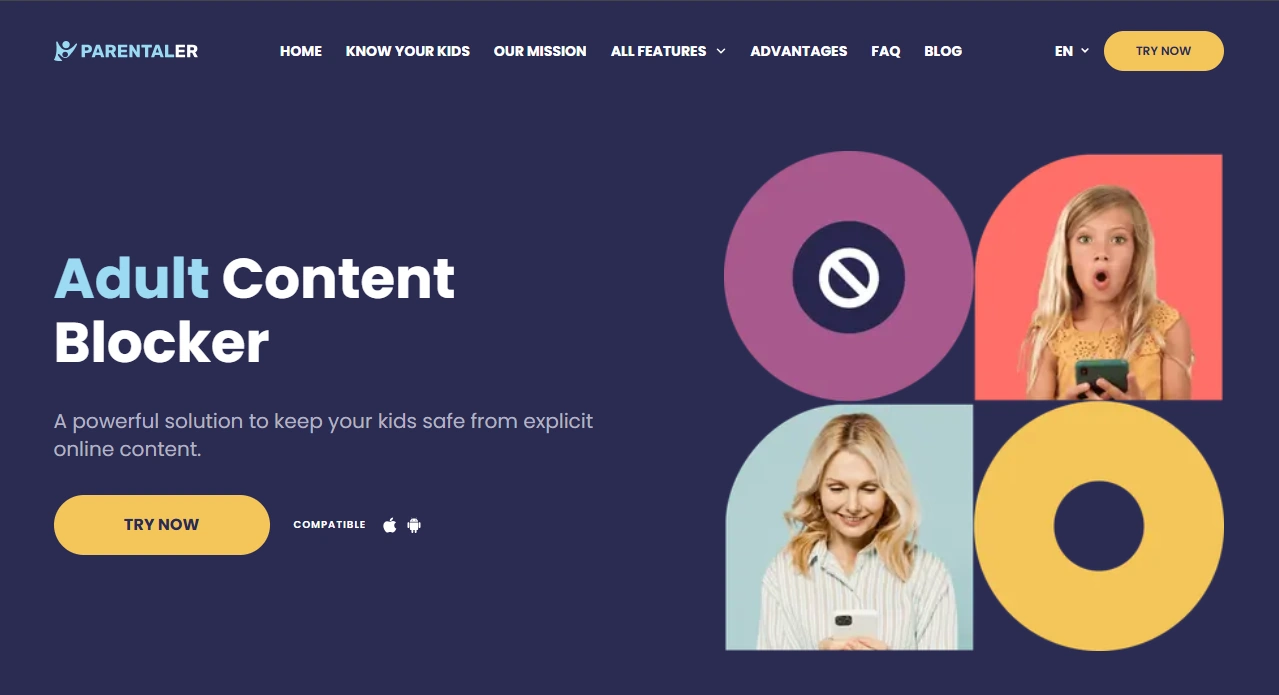
Web filtering guides: iPhone · Android
Legal notes
Use parental control tools only on devices you own or manage (for example, your child’s phone as a parent/guardian). Avoid any covert monitoring of someone else’s private device without consent. If you want clear boundaries, read: Legal phone tracking: what’s allowed and what’s not.
FAQ
Is a Parentaler built-in kids phone good for non-tech parents?
Yes. Parentaler is a strong option if you want straightforward controls (calls, texts, web filtering) without needing to master complex phone settings.
Can Parentaler help keep kids off social media?
It can help as part of a plan, but the key is preventing new installs and enforcing bedtime downtime. For a full strategy, see: social media-free childhood phone picks.
What features matter most for a child’s first phone?
App install approvals, downtime at night, web filtering, and clear communication rules (approved contacts). If you want a full framework: best first phone for kids.
Does Parentaler work on iPhone and Android?
Parentaler offers iPhone and Android-friendly options, including web filtering approaches tailored to each platform.
What are common problems parents run into?
The most common issues are inconsistent rules (especially at night), allowing too many apps too early, and not reviewing installs regularly.
Is it legal to use Parentaler on a child’s phone?
Generally, parents/guardians can use parental controls on a child’s device they manage, but laws vary by location. If unsure, read: what’s allowed and what’s not.