

If you’re researching uMobix for Android, you likely want two things:
- a realistic review of what uMobix can monitor on Android, and
- a setup guide that works in the real world (not just “click next”).
This guide is written for authorized monitoring only: your child’s phone, your own device, or company-owned devices with proper notice/consent.
Quick verdict
- Best for: Android devices where social apps + activity visibility are the main concerns.
- Not ideal for: anyone expecting “phone-number-only tracking” or guaranteed remote installs without device access.
- Setup reality: most Android monitoring suites require one-time physical access to complete installation and permissions.
Try uMobix here: Official uMobix Android page
Want to compare the entire ecosystem quickly? Use: Parental Control & Monitoring Apps Comparison Table.
uMobix for Android vs alternatives (fast comparison)
| App | Best for | Android setup | Why pick it |
|---|---|---|---|
| uMobix | Social apps & activity visibility | One-time access + permissions | Great fit when messaging/social apps are the priority |
| mSpy | All-in-one Android monitoring | One-time access + permissions | Best “do-it-all” dashboard for many families |
| Eyezy | Cleaner UI + practical monitoring | One-time access + permissions | Good pick if you want simpler operation |
| Bark | Safety alerts, healthier oversight | Parent + child app setup | Best when you want warning signals instead of deep logs |
If you want a deeper 3-way comparison, read: mSpy vs uMobix vs Eyezy.
uMobix for Android review
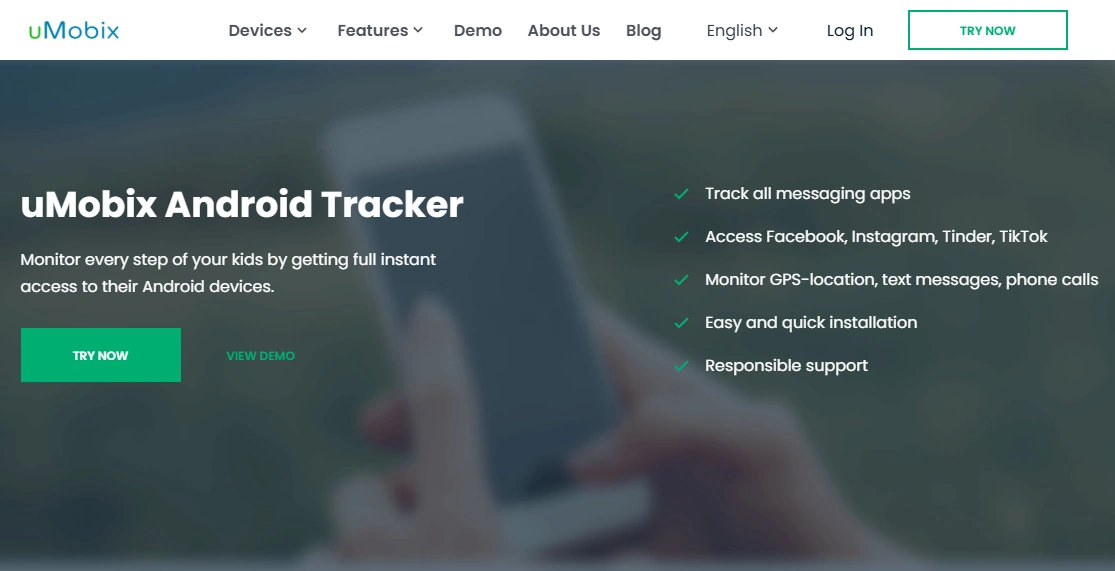
uMobix is commonly chosen for Android monitoring when your main concern is what’s happening across social apps and day-to-day phone activity. Android typically allows more monitoring visibility than iPhone setups, but results still depend on device brand, OS version, and permissions.
If you want a neutral overview of what monitoring apps can (and can’t) realistically do, read: Monitoring App Features Explained: What You Can (and Can’t) Monitor.
Product highlights (Android – setup dependent)
- Focus on social apps and activity visibility
- GPS location tracking and location history (permission dependent)
- App usage insights and installed apps overview
- Web activity visibility (browser/permission dependent)
What’s to like
- Strong fit when social/messaging apps are the #1 priority
- Central dashboard for quick activity checks
- Android-friendly overall (when permissions are configured correctly)
What’s not to like
- Expectations must be realistic: no “phone-number-only tracking”
- Most setups still need one-time physical access for installation
- Android battery saving can break syncing unless configured properly
PROS
- Great “social-first” monitoring choice on Android
- Good visibility into day-to-day activity patterns
- Useful for teen phone oversight when used responsibly
CONS
- Feature depth can vary between Android brands and OS versions
- May require background/battery tweaks on some devices
- If you want a more all-in-one suite, mSpy may fit better
CTA: Check plans and Android setup options here: Get uMobix for Android.
What can uMobix monitor on Android?
Monitoring on Android depends heavily on permissions you grant during setup. In general, uMobix is best used for responsible oversight on devices you legally manage — not for bypassing privacy.
1) GPS location & movement visibility
- Current GPS location (when permissions allow)
- Location history (where the device has been)
- More reliable tracking when location is allowed in the background (device dependent)
2) Social apps & communication activity (setup dependent)
- Visibility into activity patterns on popular social apps
- Monitoring depth varies depending on Android version and permissions
- App support can change as platforms update
3) App usage & installed apps
- Which apps are used most (helpful for screen-time conversations)
- Installed apps list (spot risky or unknown apps)
4) Web activity insight (browser-dependent)
- Browsing visibility depends on browser choice and permissions
- Useful for spotting risky sites and search patterns
For a full feature-by-feature matrix across tools, use: Comparison Table.
How to install uMobix on Android (step-by-step)
Important: This setup guide is for authorized monitoring only. If you need legal clarity first, read: Legal Phone Tracking: What’s Allowed and What’s Not.
Before you start (quick checklist)
- One-time physical access to the Android device
- The phone’s unlock PIN/pattern (often required during permission steps)
- Stable Wi-Fi or mobile internet
- 10–15 uninterrupted minutes for setup + first sync
Step 1: Create your uMobix account
Go to the official Android page and start the signup flow: Get uMobix for Android.
Step 2: Follow the official Android installation flow
- Inside your uMobix account, follow the step-by-step installer instructions.
- If Android shows prompts about installation permissions, follow them carefully and only enable what’s required for setup.
- Complete activation so the device connects to your dashboard.
Step 3: Grant required permissions (most important part)
Most “it doesn’t work” complaints come from missing permissions. You may be prompted for:
- Location (for GPS + location history)
- Notification access (helps with activity visibility on supported apps)
- Usage access (for app usage insights)
- Accessibility (often required for deeper Android monitoring capabilities)
- Battery optimization exceptions (prevents Android from stopping background syncing)
Step 4: Verify the first sync
- Log into the dashboard and confirm the device appears as connected.
- Give it time to populate the first data set (initial sync isn’t always instant).
- Test GPS updates after the phone moves or changes networks.
Troubleshooting (common Android issues)
uMobix isn’t syncing
- Re-check permissions (location/usage access/notification access).
- Review Android battery optimization settings (many phones stop background services aggressively).
- Restart the device and verify it shows as connected in the dashboard.
GPS updates are delayed
- Ensure location permissions are enabled at the highest level available on the device.
- Disable extreme power-saving modes that pause background GPS.
- Confirm the device has a stable data connection.
Data looks incomplete after an Android update
- Android updates can reset notification/location permissions.
- Re-check notification access, usage access, and background restrictions.
- If your phone brand has extra “battery manager” settings, whitelist the monitoring app.
If your goal is more classic parenting controls (screen time + rules), start here: Top Parental Control Apps for Android.
Is uMobix legal to use on Android?
It can be legal when used correctly — context matters:
- Usually allowed: monitoring your underage child’s device, your own device, or a company-owned phone with proper notice/consent.
- Usually illegal: secretly monitoring another adult’s personal phone without explicit consent.
Read the full guide here: Legal Phone Tracking: What’s Allowed and What’s Not.
Final verdict
If your #1 priority is visibility into social apps and everyday Android activity patterns, uMobix is a strong contender in 2026 — especially when permissions and battery/background settings are configured correctly.
Next step: Get uMobix for Android.
Still comparing? Start with: mSpy for Android: Full Review & Setup Guide, Eyezy for Android: Complete Review & Setup Guide, and the Comparison Table.
FAQ: uMobix for Android
Do I need root to use uMobix on Android?
Most families don’t need root. Many monitoring features work with standard Android permissions, but the exact depth of monitoring can vary by device brand, Android version, and permission settings.
Can I install uMobix on Android remotely?
In most real-world scenarios, you’ll need one-time physical access to the Android phone during setup to install the app and grant permissions.
Can uMobix track a phone using only a phone number?
No. uMobix is not a “phone-number-only tracker.” Legit monitoring suites typically require installation and permissions on the device you’re monitoring.
Why is uMobix not syncing on my Android device?
The most common causes are missing permissions (location/notification/usage access), Android battery optimization stopping background syncing, or permissions being reset after a system update.
Does uMobix drain battery on Android?
Any monitoring app can increase battery usage slightly. Battery impact depends on GPS usage, sync frequency, and how aggressively the phone restricts background processes.
Is uMobix legal to use on Android?
It can be legal when used on devices you own or manage (like your underage child’s device or company-owned devices with proper notice/consent). Secretly monitoring another adult’s personal device without consent is usually illegal.