

“Background mode” sounds like magic: install uMobix, and it runs quietly without anyone noticing.
Real life is messier. On modern Android/iPhone devices, nothing is truly invisible if someone actively checks settings, battery usage, or installed apps. What uMobix can realistically offer is low-profile daily operation—no constant popups, no obvious disruption, and a dashboard that updates without you babysitting it.
This review breaks down what uMobix background mode looks like in daily use, what can still reveal it, and how it compares to other “stealth-style” options. If you want a broader shortlist first, see: best hidden monitoring apps that stay undetectable.
Short on time? Quick verdict
- Can uMobix run “without being seen”? In day-to-day use, it can be discreet. If someone checks settings/battery/apps, it’s not “invisible.”
- Best for: parents managing a child’s phone who want a simple dashboard + background syncing.
- Android vs iPhone: Android usually gives more consistent control-style outcomes; iPhone is more setup-dependent.
- If you want the most consistent all-round stealth-style pick: mSpy is often the safer bet.
- If you want stricter “control” positioning: Eyezy is a strong alternative.
Quick jump: 60-sec checklist · Verdict · Comparison table · What really matters · Best for your situation · Setup tips · Reviews · Legal notes · FAQ
60-second decision checklist
- Define “undetectable” correctly: aim for discreet daily use, not “invisible forever.”
- Android or iPhone? Android tends to be more consistent; iPhone is more setup-dependent.
- Reliability first: background syncing that misses data is worse than an app that’s slightly visible.
- Know the real giveaways: battery usage screens, app lists, permission audits, and OS updates.
- Pick the right category of tool: “monitoring-style” vs “parent-first” (Bark) depending on your family’s trust/rules.
Verdict: can uMobix really run in the background without being seen?
In normal daily use: uMobix can run quietly and feel “background.” If the device user isn’t hunting for it, it may not be obvious.
If someone checks: on modern phones, a determined user can often find signs in installed apps, permissions, or battery usage. That’s true for nearly every monitoring app.
So the honest verdict is: uMobix is discreet, not magical. If you need a more proven stealth-style all-rounder, mSpy is usually the safer recommendation. If you prefer a stricter “control” positioning, Eyezy is a strong alternative.
Comparison table: uMobix vs other “background/stealth-style” options
| App | Background discreetness | Reliability | Android vs iPhone | Best for |
|---|---|---|---|---|
| uMobix | Mid-high (day-to-day) | Mid-high | Android stronger; iPhone varies by setup | Parents who want a simple dashboard |
| mSpy | High (discreet daily use) | High | Strong overall; iPhone is still setup-dependent | Best all-round stealth-style pick |
| Eyezy | High | High | Android strong; iPhone varies by setup | Control-focused families |
| Bark | High (parental-control style) | High | Strong on both | Parent-first safety (less “monitoring”) |
| Spynger | Mid | Mid | Android usually better; iPhone varies | Budget pick (set expectations) |
What really matters (the real-life “background mode” tests)
1) The phone’s settings are the truth
Marketing pages talk about “undetectable,” but the real-world checks are boring:
- Installed apps list (if the user knows what to look for)
- Permissions (privacy/security screens often show what has access)
- Battery usage (heavy background activity stands out)
- OS updates (updates can disrupt syncing or require re-checking permissions)
2) Android vs iPhone: set expectations early
As a practical rule: Android is easier for consistent monitoring-style setups. On iPhone, outcomes are more dependent on the setup method and what features you expect.
Related guides: best Android monitoring apps without root · best iPhone monitoring apps without jailbreak
3) Reliability beats “perfect stealth”
For parenting, your #1 goal is consistent data and predictable controls. A tool that’s slightly visible but stable is usually better than a “super stealth” setup that misses activity.
Best for your situation
- I want a simple dashboard and discreet background syncing: uMobix
- I want the most consistent stealth-style all-rounder: mSpy
- I want a stricter control-focused option: Eyezy
- I want parent-first safety with less “monitoring vibe”: Bark
- I want a budget option (realistic expectations): Spynger
Setup tips & common issues (focused on reliability, not shady hiding)
Important: these tips are for devices you own/manage (like your child’s phone). They’re about stable background syncing, not evading lawful oversight or consent.
Tip 1: Do a “sync health check” after major OS updates
Most “it stopped working” stories begin right after an Android/iOS update. After updates, confirm the dashboard still refreshes and key features still report as expected.
Tip 2: Watch for battery-saver side effects
Battery-saving modes can restrict background activity. If your logs update late or sporadically, this is often the first thing to investigate.
Tip 3: Keep expectations realistic on iPhone
If you need iPhone monitoring, test your must-have features early and decide fast if you need a different approach or a different tool.
Tip 4: Use proven Android install guides (legitimate parent use)
Reviews
uMobix background mode (discreet daily use)

Description
uMobix aims for a simple parent workflow: check a dashboard, get updates without constant interruptions, and keep the tool running quietly in the background on a device you manage.
Product highlights
- Designed for background syncing in day-to-day use
- Simple dashboard workflow for parents
- Android typically offers more consistent monitoring-style outcomes than iPhone
What’s to like
- Feels “background” in normal daily use (when configured sensibly)
- Good fit for parents who don’t want a complicated interface
What’s not to like
- Not truly “invisible” if someone audits settings/permissions/battery
- iPhone expectations can vary depending on setup method and OS version behavior
PROS
- Good day-to-day discreetness
- Parent-friendly dashboard
CONS
- “Undetectable forever” is not realistic on modern phones
Try uMobix: Android · iPhone · Official page
Related uMobix feature deep-dive: uMobix keylogger review.
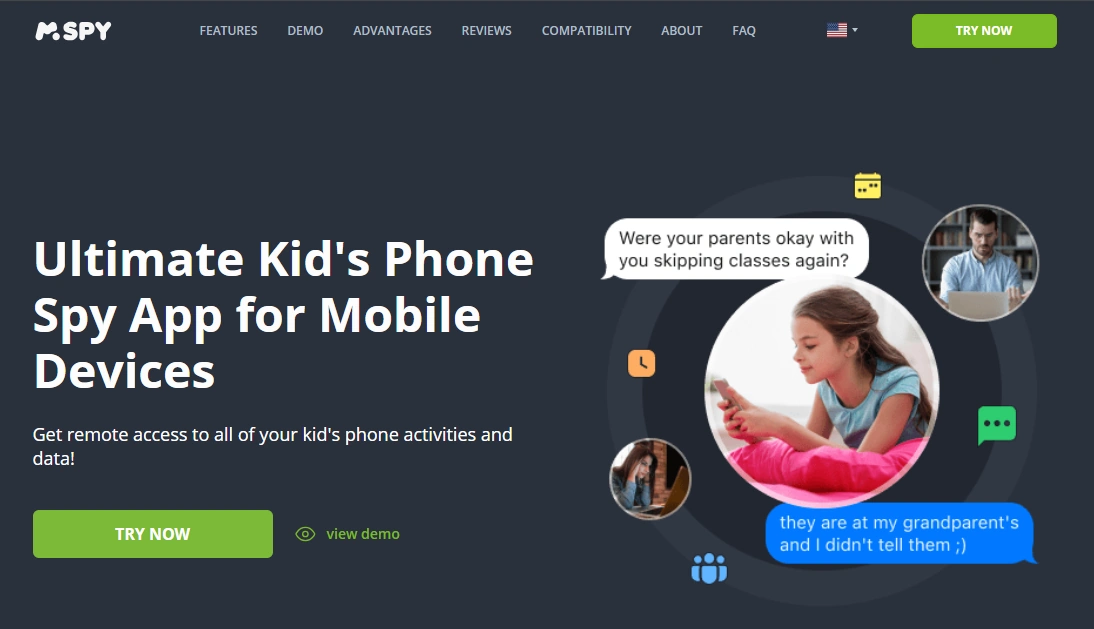
mSpy (most consistent stealth-style alternative)
Description
If your priority is consistent daily operation plus a mature, widely-used dashboard, mSpy is often the safer recommendation than smaller “stealth” tools.
Product highlights
- Strong all-round monitoring feature set
- Designed for background operation in daily use
- Good choice when reliability matters most
What’s to like
- Very consistent for most parent use-cases
- Good balance of features + stability
What’s not to like
- Still not “invisible” if someone audits device settings
PROS
- Best all-round alternative
- Strong reliability
CONS
- Not magic stealth on modern OS versions
Try mSpy: Get mSpy
Eyezy (control-focused alternative)

Description
Eyezy is a strong option if you like a stricter “control” positioning while still aiming for discreet day-to-day operation.
Product highlights
- Control-forward positioning
- Good stealth-style daily behavior
- Strong alternative when you want “monitor + enforce”
What’s to like
- Good fit for stricter family rules
- Often a strong Android experience
What’s not to like
- Can feel heavier than simple parent-first tools
PROS
- Great for control-focused parents
CONS
- Not “set-and-forget” for everyone
Try Eyezy: Get Eyezy · Eyezy stealth mode review
Bark (safer parent-first alternative)

Description
If your real goal is child safety (not “monitoring app stealth”), Bark is often easier to live with long-term: family rules, routines, and alerts—without turning parenting into surveillance.
Product highlights
- Parent-first safety approach
- Great long-term maintainability
- Strong option for reducing daily conflict
What’s to like
- Best “use it for a year” family system
- Less drama than constant monitoring
What’s not to like
- Not designed for “stealth monitoring” framing
PROS
- Best parent-first approach
CONS
- Less relevant if you specifically want monitoring-style features
Try Bark: Get Bark
Legal notes
Use monitoring apps only on devices you own, devices you manage (for example, your child’s phone under your care), or where you have clear consent. Monitoring someone else’s device without permission can be illegal.
Read before setting anything up: legal phone tracking: what’s allowed and what’s not.
FAQ
Is uMobix truly undetectable?
No app is truly undetectable forever on modern phones. uMobix can be discreet in daily use, but a determined user can often find signs in installed apps, permissions, or battery usage.
Is uMobix background mode better on Android or iPhone?
Android is typically more consistent for monitoring-style setups. iPhone results can be more setup-dependent, so test your must-have features early.
What usually reveals a “hidden” monitoring app?
The most common giveaways are battery usage screens, installed app lists, permission audits, and post-update behavior changes.
If I want the most reliable alternative, what should I choose?
mSpy is usually the most consistent all-round stealth-style alternative for parents who want stable background operation.
If I want a stricter control-focused tool, what’s the best pick?
Eyezy is a strong choice if you want a more control-focused approach while still aiming for discreet daily operation.
Is it legal to use uMobix on my child’s phone?
Laws vary by country, but parents commonly manage a minor child’s device they own or administer. Using these tools on other adults or devices you don’t control without consent can be illegal.