

Kids under 13 need stronger safety boundaries and more privacy protection — not “monitoring tactics.” The safest parental control setups focus on:
- Age-appropriate limits (apps, screen time, web filters)
- Location safety (check-ins, pickup routines)
- Fewer risky features (avoid invasive monitoring unless truly necessary)
- Clear rules the child understands (this reduces conflict and “workarounds”)
This guide compares the safest parental control apps for kids under 13 and helps you pick the right approach for your family.
Also read: How to Choose the Right Monitoring App for Your Family
Short on time? The safest picks (under 13)
- Best “alerts-first” safety app: Bark
- Best simple parent routine (low overwhelm): Parentaler
- Best built-in iPhone option: Apple Screen Time (Family Sharing)
- Best built-in Android option: Google Family Link (paired with smart device rules)
- If you need an “advanced dashboard” (use carefully): mSpy or Eyezy
First: what “safe” means for kids under 13
The safest parental control setup is usually the one that’s:
- Transparent (the child knows the rules and why they exist)
- Minimal (collects the least sensitive data needed to keep them safe)
- Stable (doesn’t break after updates or require constant fiddling)
- Family-friendly (reduces arguments, encourages better habits)
Legal note (parents)
Most parents use parental controls to protect their child and manage a device they own/administer. Tracking or monitoring should be limited to legitimate safety and parenting goals.
Always read: Legal Phone Tracking: What’s Allowed and What’s Not
Quick comparison table (safest under-13 options)
| App | Best for | Platforms | Key highlights | Refund or Trial |
|---|---|---|---|---|
| Apple Screen Time | Built-in iPhone/iPad family limits | iPhone / iPad | App limits, downtime, content restrictions, family controls | Free (built-in) |
| Google Family Link | Built-in Android supervision | Android | App approvals, limits, location on supported devices | Free |
| Bark | Safety alerts + parent workflow | iPhone + Android | Alerts-first approach, reduces micromanaging | Varies (see official site) |
| Parentaler | Simple routines + boundaries | iPhone + Android | Low-overwhelm parent workflow, practical for daily use | Varies (see official site) |
| mSpy | Advanced dashboard (use carefully) | iPhone + Android | Broader monitoring dashboard + GPS options | Varies (see official site) |
| Eyezy | Clean dashboard for routines | iPhone + Android | Usability-first dashboard + family routine use | Varies (see official site) |
Which app is safest for your situation?
If you want the safest “default” setup (least invasive)
Start with built-in controls:
- iPhone/iPad: Apple Screen Time
- Android: Family Link + device rules
This is the best approach for most under-13 kids because it’s simple and predictable.
If you want safety alerts without constant checking
Use an alerts-first tool like Bark and make it part of a family safety routine (not “24/7 surveillance”).
If you want a simple, structured parent routine
If you prefer a low-overwhelm approach, Parentaler can be a good “keep it simple” option for boundaries and parent workflow.
If location safety is your #1 concern
For under 13, location safety often matters more than reading messages. Start here:
If you truly need an “advanced dashboard”
For special situations (persistent risky behavior, repeated rule-breaking, or safety concerns), some parents consider a broader dashboard tool like mSpy or Eyezy.
Safety rule: for under-13 kids, keep monitoring focused on safety outcomes (limits + alerts + location routines), not “collect everything.”
Best safest parental control apps for kids under 13 (details)
Bark — safest for alerts-first parenting (often less conflict)

Bark is a strong option for families who want signals and alerts rather than constant checking. That’s often the most “safe” style for younger kids because it reduces micromanaging and daily conflict.
PROS
- Alerts-first approach (less obsessive checking)
- Good fit for under-13 “safety boundary” parenting
- Works well with clear family rules
CONS
- Not the simplest “built-in only” option
- Paid plans (pricing varies)
Ready to try Bark? Check the latest plans on the official website.
Parentaler — safest “simple routine” option (low overwhelm)

Parentaler is ideal if you want a straightforward parent routine: set boundaries, keep it consistent, and avoid drowning in settings.
PROS
- Easy to adopt for busy parents
- Good “keep it calm” workflow for younger kids
- Works best when paired with device-level rules
CONS
- Not designed for power users who want deep configuration
- Paid plans (pricing varies)
Ready to try Parentaler? Check the latest plans on the official website.
mSpy — for parents who need a broader dashboard (use carefully)
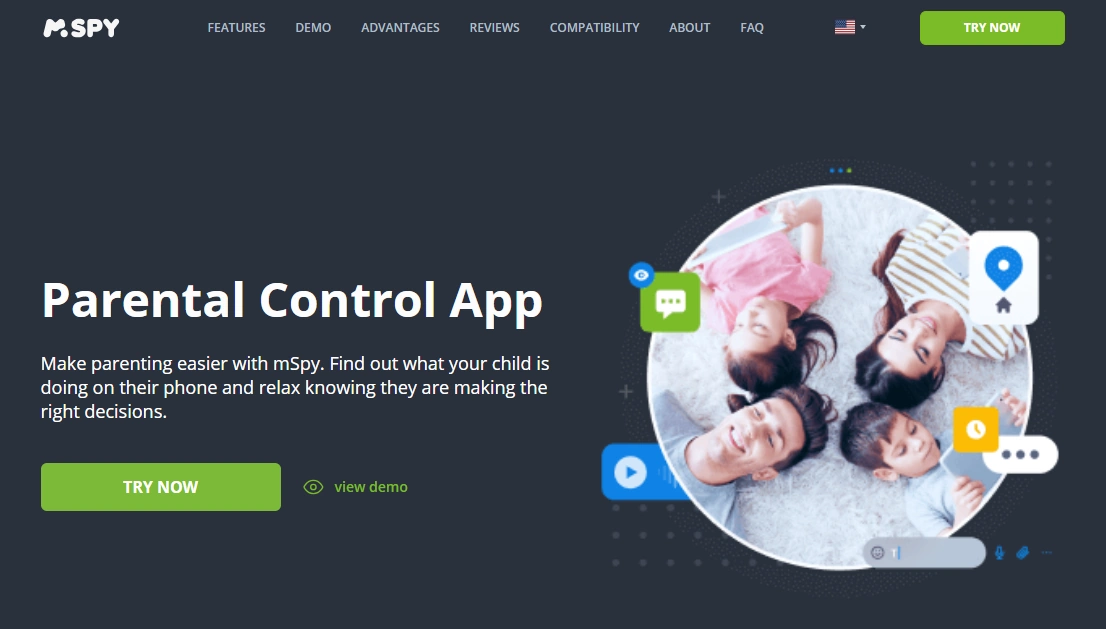
mSpy can work as a broader dashboard for parents who need more than basic screen-time limits. For kids under 13, the safest approach is to use it as a routine review tool (daily/weekly), not constant monitoring.
PROS
- All-round dashboard for structured oversight
- Helpful when you need more than basic limits
- Can support location routines depending on setup
CONS
- More invasive if used without clear boundaries
- Setup expectations differ between Android and iPhone
Ready to try mSpy? Check the latest plans on the official website.
Eyezy — clean dashboard option for calmer routines

Eyezy is often chosen for its usability. For younger kids, it can be a good fit if your goal is simple, consistent routines rather than deep “monitoring” behavior.
PROS
- Clean parent dashboard
- Works best as a routine check-in tool
- Pairs well with built-in device parental controls
CONS
- Still requires responsible use (avoid over-collection)
- Setup expectations differ by platform
Ready to try Eyezy? Check the latest plans on the official website.
How to set parental controls safely (recommended order)
- Start with device-level controls: Screen Time / Family Link
- Set house rules: bedtime, app approvals, “no secret accounts,” etc.
- Add one tool only if needed: alerts-first (Bark) or simple workflow (Parentaler)
- Use location for safety routines: pickup, school arrivals, sports practice
Setup guides:
- How to Set Up an iPhone Monitoring App Safely and Legally
- How to Set Up an Android Monitoring App Safely and Legally
Common mistakes to avoid (kids under 13)
- Over-monitoring: collecting everything creates trust issues and doesn’t teach good habits
- Skipping basic controls: if Screen Time / Family Link isn’t set up, paid tools won’t fix the foundation
- No routine: parental controls work best when paired with consistent family rules
- Ignoring legality: read what’s allowed in your situation
Always keep this bookmarked: Legal Phone Tracking: What’s Allowed and What’s Not
FAQ
What is the safest parental control app for kids under 13?
For most families, the safest approach is using built-in controls first (Apple Screen Time or Google Family Link), then adding an alerts-first tool like Bark if you need more safety signals without constant monitoring.
Is it legal to monitor my child’s phone under 13?
In many places, parents/guardians can manage and monitor a child’s device they own/administer for safety. Laws vary, so read: Legal Phone Tracking: What’s Allowed and What’s Not.
Do I need a “monitoring app” for an under-13 child?
Usually no. Under 13, safer results typically come from screen time limits, content filters, app approvals, and location routines — not deep surveillance.
Can kids disable parental controls?
Kids often try. The safest setup uses strong device-level controls (passcodes, family accounts) and clear house rules, plus regular check-ins.
Do parental control apps drain battery?
They can, especially if location tracking runs constantly. For under-13 kids, use GPS for routines (arrivals/pickups) rather than constant tracking.
What should I use if my child only needs location safety?
Start with family location sharing and check-ins. See: Best GPS Tracker Apps for Families.