

Schools and families often want the same thing: safer devices, fewer distractions, and faster help when something goes wrong. The tricky part is doing it legally, transparently, and without turning school into a surveillance zone.
This guide focuses on realistic options for school contexts (shared iPads/tablets, school-issued devices, and BYOD phones) and how to choose the right tool without over-collecting data.
Short on time? Start here
- Best for school-style safety monitoring: Bark (alerts + safety focus)
- Best for simple controls on shared devices: Parentaler (straightforward filtering + basics)
- Best for family-level oversight (home use, not school-managed fleets): mSpy (broad monitoring toolkit)
- Best for non-techy parents who want simple setup: Eyezy (parent-friendly features + controls)
If you’re unsure what’s appropriate in your case, start with: How to Monitor Kids’ Phones Without Invading Their Privacy.
School Device Safety Checklist (printable)
- Decide ownership: school-managed device vs BYOD phone.
- Define the goal: fewer distractions, safer browsing, or safety alerts.
- Set clear rules: what is monitored, when, and by whom (no surprises).
- Start with guardrails: schedules + filters before deeper monitoring.
- Agree on escalation: what happens after an alert (who reviews, what steps follow).
Jump to: What schools actually need · How to choose · Quick comparison · App reviews · Setup playbook · FAQ
What schools actually need (and what they usually don’t)
1) Ownership model matters more than the app
- School-owned + managed devices: the school/IT team typically needs device management controls and clear policies (not “hidden monitoring”).
- Shared classroom iPads/tablets: you need simple restrictions, predictable schedules, and content filtering that works per class/kid profile.
- BYOD phones: parents usually handle controls at home, while the school sets classroom rules and expectations.
If you’re trying to monitor a school-managed Chromebook/laptop, read this first: Best Chromebook and Laptop Monitoring Apps for Schools and Best School Device Management Tools.
2) “More data” isn’t the goal — fewer incidents is
For schools, the safest setups are usually:
- Restriction-first: block risky categories, limit time windows, and reduce distractions.
- Alert-based safety: focus on high-signal warnings (self-harm, threats, bullying indicators) with a clear escalation workflow.
- Transparency: tell students and parents what is monitored and why (and what isn’t).
If you’re a parent and need a conversation script, start here: How to Talk to Your Child’s School About Device Monitoring.
How to choose the right parental control solution for a school context
Step 1: Decide who will own the monitoring
- School-owned devices: prefer tools designed for classrooms/admins and policy-based monitoring.
- Family-owned devices: parental control apps can work well — especially when paired with respectful boundaries.
Step 2: Pick your “must-have” outcome
- Content filtering: reduce exposure to adult content and harmful sites.
- Focus time: lock down apps during school hours (and avoid constant “cat and mouse”).
- Safety alerts: notifications when content suggests risk (bullying/self-harm/threats).
- Device sharing: simple rules that work even when multiple kids use the same tablet.
Step 3: Match it to the reality of your school
Three practical scenarios:
- Primary school (shared iPads): prioritize simple restrictions + web filtering. See: Best Parental Control Apps for School iPads and Tablets.
- Middle/high school (BYOD phones): prioritize schedules + respectful monitoring rules. Start with: How to Limit Screen Time on Kids Phones Automatically.
- Remote/hybrid learning: prioritize distraction control + safe browsing, and keep policies consistent across home + school. See: Joint Screen Time & Homework Plan Between School and Home.
Important: If you’re considering consumer “monitoring-style” tools for school-managed devices, read: mSpy in Schools? Why It’s Usually a Bad Idea for Managed Devices.
Quick comparison: best parental control apps for schools
| App | Best for | Works best on | Strengths | Watch-outs |
|---|---|---|---|---|
| Bark | Safety alerts + school-style monitoring | School tablets/laptops (depending on setup), family devices | Risk-based alerts, content safety focus | Needs clear policies; avoid over-monitoring |
| Parentaler | Shared devices + simple restrictions | iPads/tablets, family phones | Straightforward controls, web filtering options | Not a full school IT management suite |
| mSpy | Family oversight (home use) | Parent-managed phones | Very broad monitoring toolkit | Usually a poor fit for school-managed fleets |
| Eyezy | Busy/non-techy parents who want practical controls | Parent-managed phones | Parent-friendly features and monitoring options | Use with clear rules to avoid trust breakdown |
Want a broader overview across many tools? See: Best Parental Control Apps in 2026 (For Worried but Busy Parents) and the Parental Control & Monitoring Apps Comparison Table.
App reviews (school-focused recommendations)
Bark
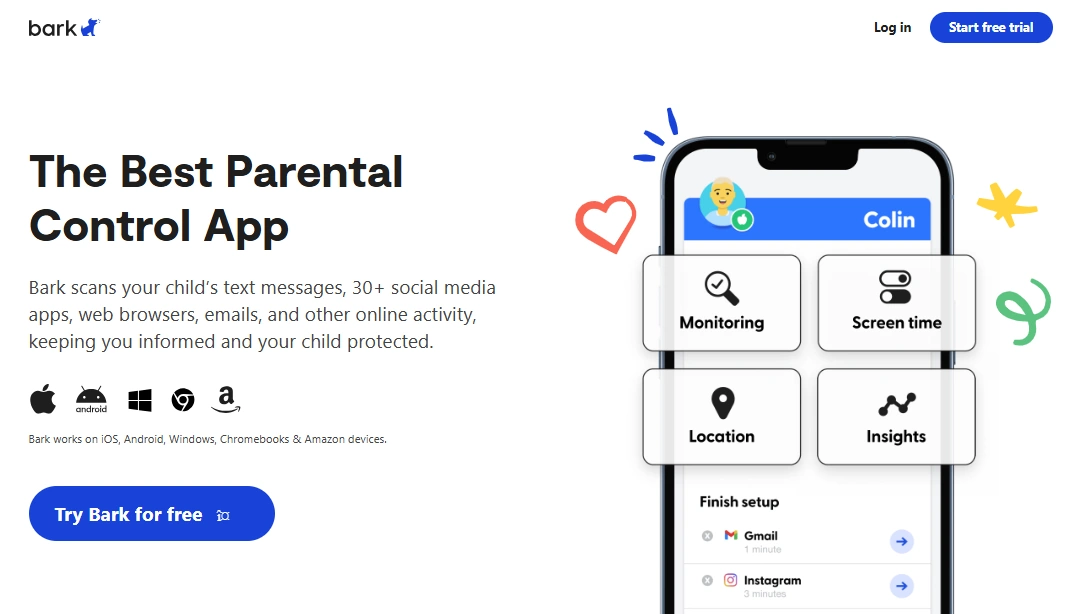
Description: Bark is best known for focusing on safety signals (rather than just raw logs). In school contexts, that usually means fewer “noise” alerts and more emphasis on meaningful risk indicators.
Product highlights:
- Safety-first alerts (bullying/self-harm/threat indicators)
- Designed around “signals” vs constant micromanagement
- Works best when paired with clear rules and an escalation plan
What’s to like: If your school or parent group wants early warning signs without reading every message, Bark’s approach often aligns better with privacy expectations.
What’s not to like: It’s still monitoring — without transparency and limits, any tool can create backlash. Policies matter.
PROS:
- Good “safety alert” orientation
- Supports a privacy-friendlier monitoring philosophy
- Works well for families who want guardrails + alerts
CONS:
- Not a full replacement for school IT management tools
- Needs staff/parent agreement on what happens after an alert
Best for: Schools/parent groups that want safety alerts and a structured response plan.
Check Bark options · Read next: Bark for Schools Review · How to Use Bark on School Tablets and Laptops
Parentaler

Description: Parentaler is best positioned for families (and school-adjacent setups) that want straightforward controls: filtering, basic oversight, and predictable rules that don’t require constant tweaking.
Product highlights:
- Web filtering options (platform-dependent)
- Useful for shared iPads/tablets when combined with clear rules
- Good “keep it simple” orientation
What’s to like: If your main goal is “reduce distractions and block risky content,” simpler tools are often easier to roll out across families.
What’s not to like: It’s not a school fleet management system — schools still need admin tools for large-scale deployment.
PROS:
- Simple to understand and explain to parents/students
- Filtering options that match school safety goals
- Good fit for shared-device rules
CONS:
- May be too “lightweight” for complex school IT environments
- Like any control tool, needs transparency to maintain trust
Best for: Shared classroom iPads/tablets, or parents who want a clear baseline setup.
Try Parentaler · Read next: Parentaler for Schools Review · How to Set Up Parental Controls on School iPads
mSpy
Description: mSpy is a broad monitoring toolkit that can support family oversight — but in school contexts, it’s usually only appropriate on devices a parent truly controls (and where expectations are clearly set).
Product highlights:
- Wide feature coverage for monitoring and oversight
- Better aligned with home use than school IT environments
- Can complement rules like “study mode” and time limits
What’s to like: For parents dealing with serious issues (unsafe contacts, repeated rule-breaking), comprehensive tools can help — especially when paired with a respectful plan.
What’s not to like: For school-managed devices, this category is often the wrong tool for the job. Prefer school admin solutions instead.
PROS:
- Comprehensive toolkit
- Can support family boundaries (when used transparently)
- Useful for specific high-concern situations
CONS:
- Usually not appropriate for school-managed fleets
- Risk of trust damage if used secretly
Best for: Parent-managed phones (home use), not school-owned managed devices.
Check mSpy · Read next: mSpy in Schools? (Honest guide) · Monitor Without Invading Privacy
Eyezy
Description: Eyezy is often considered by parents who want a balance: practical monitoring options plus controls that help reduce distraction and improve routine consistency.
Product highlights:
- Parent-friendly controls and monitoring options
- Useful for routine-based limits (school nights, homework blocks)
- Pairs well with a “rules + trust” family approach
What’s to like: If your goal is less chaos (not more monitoring), a tool that supports schedules and boundaries can help — especially when the expectations are clearly communicated.
What’s not to like: Any monitoring tool can backfire if it’s used secretly. Make it part of an agreement, not a trap.
PROS:
- Good “busy parent” usability
- Practical for school-week routines
- Can support web safety depending on setup
CONS:
- Not a school fleet management suite
- Needs clear privacy boundaries
Best for: Parent-managed devices where the goal is consistent routines and safer browsing.
Try Eyezy · Read next: Eyezy for Non-Tech-Savvy Parents Review · Limit Screen Time Automatically
School-friendly setup playbook (privacy-first)
1) Write the “why” in one sentence
Example: “We restrict distracting apps during class and use safety alerts to identify potential harm early.” Keep it short and measurable.
2) Define what you will NOT monitor
- No tracking outside agreed hours (unless it’s a parent-managed device and part of a safety plan)
- No “read everything” approach
- No secret monitoring
3) Use time-based rules, not constant policing
Schedules and focus modes reduce conflict. Start here: How to Limit Screen Time on Kids Phones Automatically.
4) Align school + home expectations
Consistency beats strictness. Use: a joint screen time & homework plan.
5) Put an escalation plan in place
If an alert triggers, who reviews it, what evidence is required, and what happens next? If you need help starting that conversation: How to Talk to Your Child’s School About Device Monitoring.
FAQ
What is the best parental control app for schools?
It depends on the device model. For school-style safety alerts and monitoring, Bark is often a strong fit. For simple restrictions on shared devices, Parentaler is a practical baseline. For parent-managed phones, mSpy and Eyezy can work well when used transparently.
Can a school legally monitor student devices?
Typically, monitoring is most defensible on school-owned devices with clear policies and parent/student notice. For BYOD phones, parents generally control monitoring at home, while schools enforce classroom rules and acceptable-use policies.
Is it okay to use “monitoring apps” on school-managed laptops?
In most cases, it’s a bad fit. School-managed fleets should rely on admin-grade management and monitoring tools, not consumer hidden-monitoring apps. Start with school device management solutions instead.
What’s the safest approach for shared classroom iPads?
Use simple restrictions, content filtering, and scheduled focus modes. Avoid collecting more data than needed, and keep the rules consistent across classrooms.
How do parents and schools avoid breaking trust?
Be explicit about what is monitored, why it’s monitored, and what is not monitored. Use “guardrails” (limits + filters) before you ever consider deeper monitoring.
What features matter most for a school environment?
Time schedules, content filtering, distraction blocking, and a clear response plan for safety alerts. Anything beyond that should be justified and documented.
What if the student uses both a phone and a console?
Use a layered approach: official console controls plus a consistent phone routine. See: The Best Parental Control Apps for Gaming Consoles.