

Most parents don’t get “caught” because the tool is obvious. They get caught because the phone starts acting weird: sudden permission popups, battery drain, broken app behavior, or a teen noticing a new setting changed after an update.
This guide shows a calmer approach to using uMobix (Facebook Messenger Monitoring) for parental supervision—focused on stability, not shady stealth. You’ll get Android vs iPhone tips, real-life “caught” triggers to avoid, and the quickest fixes when Messenger monitoring stops syncing.
Important: Use Messenger monitoring only when you’re legally authorized (typically your minor child’s device, or a device you own/manage with explicit permission). If you’re unsure, read: Legal phone monitoring: what’s allowed and what’s not.
Short on time? Quick verdict
- Best use case: Messenger is your #1 risk channel and you want ongoing oversight.
- Best platform: Android is usually easier to keep stable; iPhone is more workflow-dependent.
- Don’t chase “invisible.” A stable, family-managed device setup is what prevents most “caught” moments.
- Alternative picks: mSpy (all-in-one suite), Eyezy (parent-friendly dashboard), Bark (prevention-first).
Quick jump: 60-second checklist · Verdict · Comparison table · What really matters (without getting caught) · Android setup · iPhone setup · Top “caught” triggers · Troubleshooting · Reviews · Legal notes · FAQ
60-second decision checklist
- Authorization: You’re monitoring your minor child’s phone (or a device you own/manage with explicit permission).
- Your goal: catch risk early (unknown contacts, scams, bullying, grooming), not “collect everything forever.”
- Platform reality: Android is usually easier to keep stable; iPhone is more workflow-dependent.
- Plan for updates: OS + Messenger updates can break syncing—do quick post-update checks.
- Reduce bypass: no second devices/accounts; review message requests together.
- Stability beats stealth: a stable, family-managed setup prevents most “caught” moments.
Verdict: the safest way to use uMobix without drama
If Messenger is your #1 concern, uMobix is one of the best Messenger-focused options. The “without getting caught” part is less about tricking your child and more about:
- keeping the device stable (no weird prompts, no broken battery behavior)
- setting clear boundaries (family-managed device, expectations explained)
- doing quick checks after updates
Use uMobix for Messenger monitoring Compare mSpy (suite)
Comparison table: uMobix vs the common alternatives
| Tool | Best for | Monitoring style | Biggest “caught” risk | CTA |
|---|---|---|---|---|
| uMobix | Messenger-first monitoring | Strong day-to-day oversight for Messenger risk | Permission prompts + update breakage if stability isn’t managed | uMobix |
| mSpy | All-in-one parent suite | Best if you also monitor other apps (IG, etc.) | iPhone workflow changes after iOS updates | mSpy |
| Eyezy | Parent-friendly signal dashboard | High-signal overview, less “transcript” vibe | Expectations mismatch (parents expecting perfect logs) | Eyezy |
| Spynger | Simple baseline option | Okay for “compare and decide” | Stability issues if access changes | Spynger |
| Bark | Prevention-first parental control | Boundaries + safer habits | Parents expecting transcripts instead of prevention | Bark |
What really matters if you don’t want to get “caught”
1) Stability beats stealth
The biggest giveaway is not “a hidden icon.” It’s the phone behaving differently: sudden prompts, weird battery drain, background refresh getting blocked, or Messenger acting glitchy after an update.
2) Set expectations (and reduce conflict)
If your child is younger, a prevention-first approach is usually healthier: “We supervise your phone to keep you safe.” If your child is older, you can still set clear rules about message requests, unknown contacts, and second devices. If you want a safer parenting-first alternative, compare: safest parental control apps for kids under 13.
3) Messenger privacy features can create blind spots
Encrypted/disappearing chats and unsend/delete can reduce what any tool captures. Don’t build your safety plan around “perfect recovery.” Build it around early detection + boundaries.
How to use uMobix for Messenger monitoring on Android (without drama)
- Start your uMobix account: uMobix Messenger Monitoring.
- Choose the calm moment: do setup at home, when you can take your time (not right before school, not during a conflict).
- Install and grant required permissions so Messenger monitoring can run reliably in the background.
- Fix the #1 Android issue (battery restrictions): ensure background activity isn’t restricted by battery optimization.
- Day-1 sanity check: open Messenger, send a harmless test message, check message requests, confirm your dashboard updates.
Use this internal workflow to reduce “alerts” and instability: How to install a monitoring app on Android discreetly.
How to use uMobix for Messenger monitoring on iPhone (realistic approach)
iPhone monitoring is usually more workflow-dependent. The most common “caught” moments happen after iOS updates or when account access changes.
- Confirm authorization: you’re monitoring your child’s device, or a device you own/manage with explicit permission.
- Follow a safe setup workflow: this reduces sync problems and awkward prompts.
- Plan for updates: after iOS/Messenger updates, do a quick check to confirm monitoring still updates.
- Keep access stable: sudden password changes or device switching can break monitoring and trigger questions.
Follow this internal guide for a safe approach: How to set up an iPhone monitoring app safely and legally.
Top “caught” triggers (and how to avoid them)
Trigger 1: Permission prompts popping up
Avoid it: finish setup fully and test. Partial setup leads to prompts later—usually when your child is using the phone.
Trigger 2: Battery drain and heat after setup
Avoid it: prioritize stable background settings. Don’t stack multiple monitoring apps. One good setup beats three half-broken ones.
Trigger 3: “It worked, then stopped” after an update
Avoid it: quick post-update checks. If you wait weeks, it becomes obvious something is “different” when you start fiddling with settings again.
Trigger 4: Your teen uses Messenger on a second device
Avoid it: family rules. Messenger stays on the family-managed device. If the child needs a tablet, agree on how accounts are used.
Trigger 5: Expecting deleted/disappearing messages to be fully recoverable
Avoid it: shift to prevention + early detection. Read: best apps to see deleted messages.
Troubleshooting: quick fixes when uMobix stops syncing
Fix 1: Android background restrictions
If Android monitoring stops updating, check battery optimization/background restrictions first. This is the most common cause.
Fix 2: iOS update or access change
If iPhone monitoring becomes inconsistent after an iOS update or account change, revisit the safe workflow steps and re-verify access.
Fix 3: Messenger account switching
If messages look “incomplete,” your child may be switching accounts or using a second device. Confirm device/account rules and do a calm check-in.
Reviews
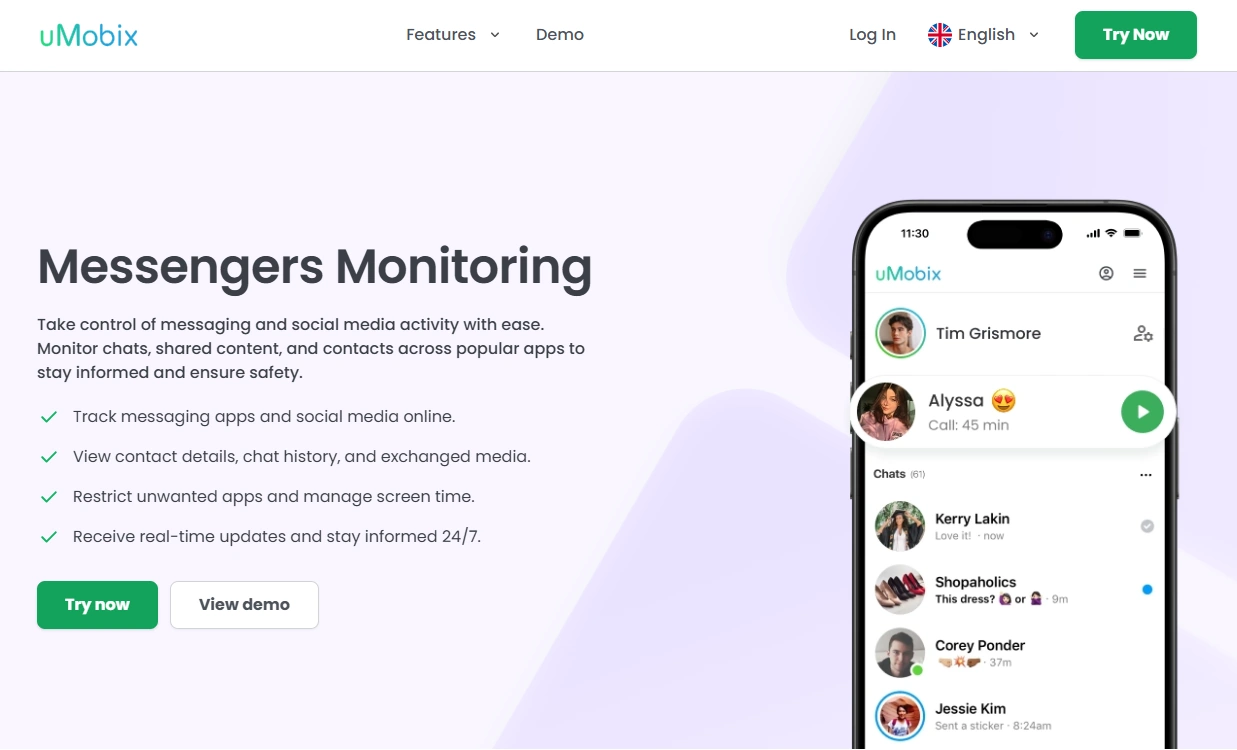
uMobix — Facebook Messenger Monitoring
Description
uMobix is one of the strongest Messenger-focused choices for parents—especially if Messenger is where most risk happens. The safest “don’t get caught” strategy is to aim for stability: complete setup, manage battery/background settings, and do quick checks after updates.
Product highlights
- Messenger-first focus
- Strong for day-to-day oversight and risk patterns
- Best when the device is family-managed and access stays stable
What’s to like
- Best fit for Messenger monitoring specifically
- Great for pattern-based oversight (unknown contacts, spikes, risk signals)
What’s not to like
- Privacy features (encrypted/disappearing chats) can reduce completeness
- iPhone monitoring can be more workflow-dependent than Android
PROS
- Messenger-focused option
- Strong “monitoring feel” for parents
CONS
- Not a guaranteed archive of disappearing/encrypted chats
- Needs stability checks after major updates
Get uMobix Messenger Monitoring
mSpy — Facebook Monitoring (all-in-one suite alternative)
Description
If you want Messenger monitoring as part of a broader safety setup (Instagram, location, calls, etc.), mSpy is a strong suite alternative. It’s best for families building a long-term oversight routine.
Product highlights
- All-in-one monitoring suite
- Great for multi-app oversight
- Best with occasional post-update checks
What’s to like
- Strong overall coverage beyond Messenger
- Good for long-term parent routines
What’s not to like
- Not a magic solution for disappearing/encrypted chats
- iPhone monitoring can be more workflow-dependent
PROS
- Best “suite” alternative
- Great for multi-app monitoring
CONS
- Less Messenger-first than uMobix
- Needs maintenance after updates
Compare mSpy Facebook Monitoring
Eyezy — Social Spotlight (parent-friendly dashboard alternative)

Description
Eyezy is best if you want a calmer dashboard and daily “signal checks” rather than a Messenger-first monitoring experience.
Product highlights
- High-signal Social Spotlight patterns
- Great for non-technical parents
- Good daily oversight routine
What’s to like
- Parent-friendly UI
- Great for early detection without overwhelm
What’s not to like
- Not Messenger-first
- Not designed to guarantee disappearing-chat logs
PROS
- Most parent-friendly dashboard feel
- Strong for pattern-based signals
CONS
- Not a deep Messenger-focused tool
- Requires realistic expectations
Bark — prevention-first parental control (safest vibe)

Description
If your goal is prevention and boundaries (especially for younger kids), Bark is a strong alternative. It’s less about deep logs and more about safer habits and parent-friendly control.
Product highlights
- Prevention-first family safety approach
- Great for boundaries and routines
- Parent-friendly experience
What’s to like
- Safest parental-control vibe
- Good for reducing conflict and building habits
What’s not to like
- Not designed for deep transcript-style monitoring
- May feel too prevention-focused if you expected detailed logs
PROS
- Great for prevention and boundaries
- Parent-friendly approach
CONS
- Less “detail” than monitoring-style tools
- Not Messenger-first
Legal notes
Use Messenger monitoring only when you’re legally authorized (typically as a parent/guardian supervising a minor’s device, or with explicit permission on a device you own/manage). Monitoring other adults without consent may be illegal and harmful.
- Legal phone monitoring: what’s allowed and what’s not
- Best Facebook Messenger monitoring apps
- Best monitoring apps overall
FAQ
Can uMobix monitor Facebook Messenger messages?
uMobix can be used for Messenger oversight. What you see depends on device type (Android vs iPhone), setup stability, and Messenger privacy features like disappearing/encrypted chats.
What’s the safest way to use uMobix “without getting caught”?
Focus on stability: complete setup properly, manage Android battery/background restrictions, and do quick checks after OS/Messenger updates. Most “caught” moments happen due to prompts and instability—not because a parent can’t hide an icon.
Is uMobix better on Android or iPhone?
Android is usually easier to keep stable once permissions and battery/background settings are correct. iPhone monitoring is more workflow-dependent and may change after iOS updates.
Why is Messenger monitoring incomplete sometimes?
Common reasons include disappearing/encrypted chats, account switching, using Messenger on a second device, or OS/app updates. A family-managed device setup reduces gaps.
What’s the best alternative to uMobix?
If you want an all-in-one suite, compare mSpy. If you want a parent-friendly dashboard for “signal checks,” Eyezy is a strong alternative. For prevention-first parental control, Bark is a great option.