

If you’re searching “how to read someone’s WhatsApp messages with Eyezy,” let’s set one boundary upfront:
Consent-first rule: Use monitoring tools only for devices you own/manage (for example, your child’s phone) and only within your local laws. Secretly spying on other adults’ devices is risky, often illegal, and usually backfires.
This tutorial is written for parents/guardians who want to keep kids safe on WhatsApp without turning home into a surveillance state. If your goal is privacy-first parenting, read this first: How to Monitor Kids’ Phones Without Invading Their Privacy.
Jump to: What Eyezy can (and can’t) see on WhatsApp · Before you start (rules + prep) · Android setup · iPhone setup · How to use monitoring without destroying trust · Troubleshooting · FAQ
Legal overview (recommended): Legal Phone Tracking: What’s Allowed and What’s Not · Is It Legal to Install a Monitoring App on Someone’s Phone?
What Eyezy can (and can’t) see on WhatsApp
Eyezy promotes WhatsApp visibility through its social app monitoring features (often branded as “Social Spotlight”). What you can actually see depends on the device type, OS version, and how the tool is configured.
| WhatsApp item | Often possible | Depends on setup | Notes |
|---|---|---|---|
| Chat overview | Yes | — | Usually the first thing dashboards show. |
| Messages (content) | Sometimes | Yes | More reliable on Android-style setups; iPhone can be more limited depending on method. |
| Shared media | Sometimes | Yes | Depends on permissions + storage access. |
| Deleted messages | Sometimes | Yes | If this is your main goal, read: How to See Deleted Messages on WhatsApp or Instagram. |
| Live interception / real-time “in app” viewing | No (for most families) | — | Be skeptical of “instant by number” claims. Safe monitoring is usually account/device-based and setup-dependent. |
If you want the broader “reality check” on what monitoring apps can and can’t do, read: Monitoring App Features Explained: What You Can (and Can’t) Monitor.
Before you start (the rules that prevent family drama)
Use the “minimum necessary” approach
- Start with screen time + install approvals + WhatsApp privacy settings.
- Escalate to message monitoring only for a clear, ongoing risk (bullying, grooming attempts, sextortion threats, repeated rule-breaking).
Set a step-down plan
Monitoring should decrease as trust improves. If it never decreases, it becomes a relationship problem—especially with teens.
Make WhatsApp safer inside WhatsApp (do this even if you use Eyezy)
- Limit who can add your child to groups
- Restrict profile photo / status visibility
- Turn off automatic media downloads
- Review blocked contacts together
WhatsApp safety checklist for parents (10 minutes)
- Group controls: limit who can add your child to groups.
- Privacy: restrict “Last seen,” profile photo, and status visibility.
- Media: turn off auto-download to reduce unwanted content exposure.
- Screen time: automate bedtime + homework focus windows.
- Step-down plan: if you monitor deeper, set a clear time limit and return to lighter rules once risk decreases.
Try Eyezy WhatsApp (official page)
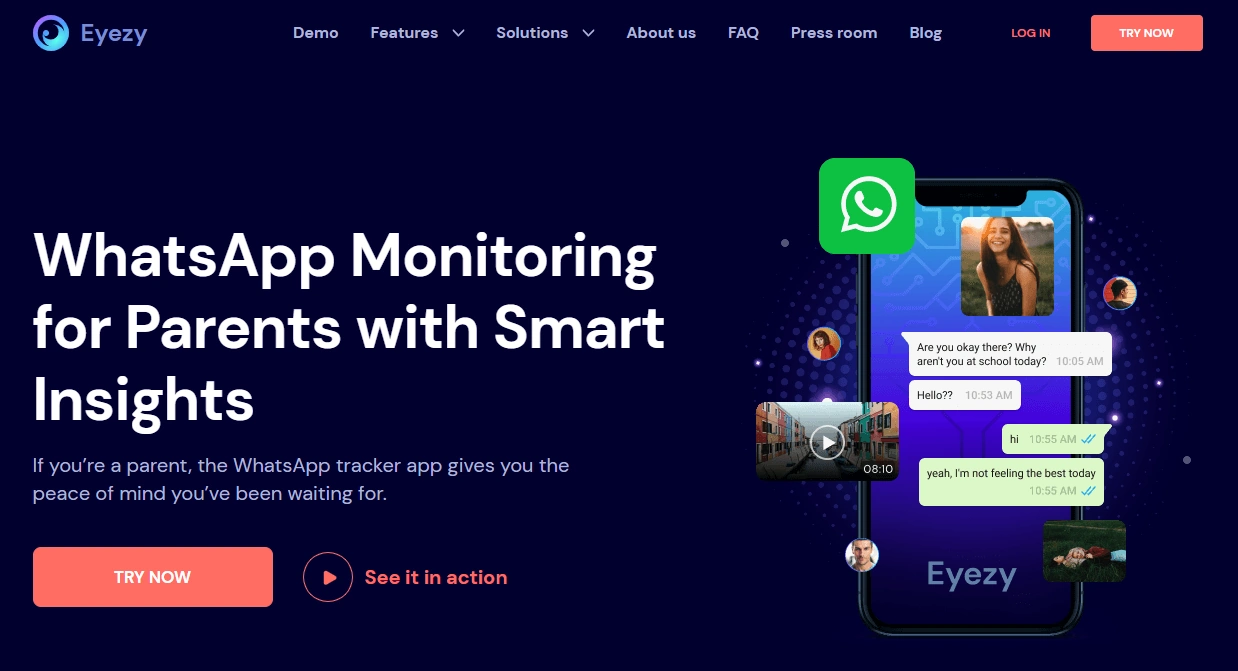
How to set up Eyezy for WhatsApp monitoring on Android
Android is usually the more straightforward platform for WhatsApp visibility because you can typically configure permissions directly on-device (with one-time physical access).
- Plan your goal: do you need screen time guardrails, risky-contact visibility, or message-level monitoring?
- Get one-time device access (parent-owned/managed phone) and ensure it has a stable internet connection.
- Follow Eyezy’s setup flow on the official page/dashboard.
- Grant required permissions when prompted (these vary by Android version).
- Open the dashboard and locate the WhatsApp / Social monitoring area.
- Verify data is flowing: check if chat list updates and whether media previews load.
If you want a full Android walkthrough with safety/legal steps, use: How to Set Up an Android Monitoring App Safely and Legally and the Eyezy deep guide: Eyezy for Android: Complete Review & Setup.
How to set up Eyezy for WhatsApp monitoring on iPhone
On iPhone, monitoring tools often rely on different methods (for example, cloud sync or backups). Because iOS privacy restrictions are tighter, WhatsApp visibility can be more limited or more setup-dependent than on Android.
- Decide your approach: start with Screen Time limits and WhatsApp privacy settings if you can.
- Use Eyezy’s official setup instructions for iPhone (method can vary by iOS version).
- Verify what you’re actually getting in the dashboard (don’t assume every feature works the same as Android).
- Combine with iPhone Screen Time for a privacy-first baseline (Downtime, App Limits).
Use these iPhone-safe guides: How to Set Up an iPhone Monitoring App Safely and Legally · How to Choose the Right iPhone Monitoring App.
How to monitor WhatsApp without invading privacy
Use “patterns” first, content second
- Start by monitoring time spent, unknown contacts, and new group chats.
- Only read message content when there’s a clear safety reason.
Do short, predictable check-ins
Instead of random “gotcha” checks, set a weekly 10-minute check-in. Your child knows what to expect, and you keep trust intact.
When you should escalate (and for how long)
If there are credible safety threats (harassment, coercion, sextortion), escalate monitoring for 14–30 days, then step down once the risk is controlled.
More family-friendly strategies: How to Choose the Right Monitoring App for Your Family.
Troubleshooting (most common issues)
“I don’t see WhatsApp data in the dashboard”
- Double-check you completed the correct setup method for that device (Android vs iPhone).
- Wait for the first sync (some dashboards populate gradually).
- Check the phone has internet and battery saver isn’t aggressively restricting background activity.
“Data is outdated or missing media”
- Confirm storage/media permissions (Android) and that WhatsApp isn’t set to restrict background refresh.
- On iPhone, verify your chosen method supports the WhatsApp items you’re expecting.
“My teen found a workaround”
- Require install approvals and review new apps weekly.
- Use OS-level Screen Time / Family Link schedules as the “hard” layer.
FAQ
Can Eyezy read WhatsApp messages?
Eyezy is marketed as a WhatsApp monitoring option for parents, but what you can see depends on device type (Android vs iPhone), OS version, and the setup method used. Always verify inside your dashboard after setup.
Does Eyezy work on iPhone for WhatsApp?
iPhone monitoring is usually more restricted and setup-dependent than Android. Start with Screen Time + WhatsApp privacy settings, then verify what Eyezy actually provides on your iOS version.
Is it legal to monitor someone’s WhatsApp?
Use monitoring tools only on devices you own/manage (for example, your child’s phone) and within local laws. For an overview, read: Legal Phone Tracking: What’s Allowed and What’s Not.
What’s the least invasive way to keep my kid safe on WhatsApp?
Start with (1) Screen Time schedules, (2) install approvals, and (3) WhatsApp privacy settings. Monitor patterns before reading content.
Can Eyezy show deleted WhatsApp messages?
Some monitoring setups may surface deleted items, but reliability varies. If this is your main goal, read: How to See Deleted Messages on WhatsApp or Instagram.
What should I do if I suspect grooming or sextortion?
Prioritize safety: keep evidence, block/report accounts, and seek local professional help if needed. Consider time-limited escalation of monitoring plus open, supportive conversations with your child.
1 Comment