

Blocking websites on iPhone sounds easy—until you realize most “website blocker apps” can’t truly enforce rules the way Android can. On iOS, the real enforcement is usually Apple Screen Time + Content Restrictions, plus a filtering layer that’s hard to bypass.
That’s why parents often get stuck in a loop: a blocker works for a week, then suddenly a VPN or profile change slips through and the “blocked” site is back.
This guide focuses on what matters in real life: device-wide filtering, bypass resistance, and setup that stays reliable without turning you into full-time tech support.
Short on time? Quick verdict
- Best iPhone web filtering (most practical overall): Parentaler Web Filtering (iPhone)
- Best for “block specific sites fast” (strict feel): Eyezy Website Blocker
- Best broader family safety baseline (not only blocking): Bark
- Best adult-content-focused layer: mSpy Porn Blocker
Quick jump: Verdict · Comparison table · What really matters on iPhone · Best for your situation · Setup tips · Reviews · Legal notes · FAQ
60-second decision checklist
Answer these quickly—your best choice becomes obvious:
- I want device-wide filtering (not just Safari) → start with Parentaler.
- I mainly need to block a list of specific sites and I want it to feel strict → consider Eyezy.
- I want broader parenting tools + safety (not just web blocking) → Bark.
- Adult content exposure is the main concern → add a focused layer like mSpy Porn Blocker.
- My child uses VPN / installs profiles / changes DNS → your setup rules matter more than the app (see setup tips).
Before paying, sanity-check “iPhone support + expectations” in our Top 10 Parental Control & Phone Monitoring Apps Comparison Table.
Verdict: which iPhone website blocker should you choose?
If you want the most practical iPhone web filtering setup, start with Parentaler Web Filtering (iPhone). It’s a strong fit for parents who want fewer loopholes and a clear goal: block harmful sites across the device.
If your priority is blocking specific sites quickly (TikTok web, gambling, adult sites, etc.), Eyezy Website Blocker is the best “strict block list” contender.
If you want web blocking as part of a bigger family safety system (not just a single-purpose blocker), Bark is a solid baseline to build on.
If adult content exposure is the core issue, a focused layer like mSpy Porn Blocker can be worth it—especially if your child actively tests boundaries.
Try Parentaler Web Filtering | Try Eyezy Website Blocker
Comparison table: best website blocker apps for iPhone
This is “parent reality”—what each option is best for on iOS, and what commonly breaks the setup.
| App | Best for | Works on iPhone | Blocking style | Watch-outs |
|---|---|---|---|---|
| Parentaler | Device-wide web filtering for most families | Yes (iPhone-focused offer) | Filtering-first parental control approach | Needs Screen Time rules to prevent VPN/profile/DNS bypasses |
| Eyezy | Block specific sites fast (strict list) | Yes (iOS supported) | Website blocking + control tools | Not “set-and-forget” if the child actively tests loopholes |
| Bark | Family safety baseline (broader than blocking) | Yes (works as a parenting layer) | Parental control + safety approach | Use iOS Screen Time for the strictest enforcement |
| mSpy Porn Blocker | Adult-content-focused protection layer | Yes (positioned for iOS too) | Porn blocker-style filtering angle | Overkill for casual website blocking |
What really matters on iPhone (and why blockers fail)
On iPhone, the “website blocker” battle is often won (or lost) in iOS settings—not inside the app.
- Screen Time passcode is your foundation. If your child learns it, everything becomes negotiable.
- Content & Privacy Restrictions are the real enforcement layer (web content, app installs, account changes).
- VPN / profiles / DNS changes are the #1 loopholes for filtering. If your child can freely change these, filtering becomes optional.
- Browser switching matters: blocking only in Safari is not enough if the child uses Chrome, Firefox, or in-app browsers.
Helpful next reads (internal): safe setup guide for iPhone · how to choose the right iPhone app · best screen time apps for iPhone · top parental control apps hub
Best for your situation
1) “Younger kid — I want safer browsing with minimal drama”
Start with Parentaler and keep the rules simple: safe sites are allowed, unsafe sites are blocked. Pair it with tight Screen Time restrictions so you aren’t constantly chasing loopholes.
2) “I need to block a handful of specific sites (fast)”
Eyezy is the best fit when you want a strict “block list” feel. This is ideal for a short must-block list like adult sites, gambling, or specific social platforms.
3) “Teen is actively testing boundaries (VPN/DNS/browser tricks)”
Choose a device-wide filtering approach (Parentaler) and lock down the escape hatches via Screen Time (see setup tips). If you need broader parenting coverage, compare with Bark.
4) “Adult content exposure is my #1 fear”
Consider a focused layer like mSpy Porn Blocker and be strict about bypass rules. For younger kids, also see: the safest parental control apps for kids under 13.
5) “I also want time limits and bedtime rules”
Website blocking helps with content, but habits often need time rules too. See best screen time apps for iPhone and combine “Downtime + content restrictions.”
Setup tips (make iPhone website blocking harder to bypass)
- Use Family Sharing + a child Apple ID if possible. It’s the cleanest long-term foundation.
- Set a Screen Time passcode you never reuse (and don’t type it in front of your child).
- Lock down content restrictions (adult content, web content limits, and “allowed websites” where appropriate).
- Restrict changes that enable bypass: profiles, VPN settings, and “account changes.” If kids can freely change these, most filters can be undone.
- Test across browsers: Safari, Chrome, Firefox, and in-app browsers. If it only blocks in one place, you’ll lose the long game.
- Have a simple household rule: “No VPN/proxy tools. No private DNS tricks. If you try to bypass, you lose phone privileges.” (This works better than constant tweaking.)
If you want a wider comparison of options, use the main reference: Top 10 Parental Control & Phone Monitoring Apps Comparison Table.
Reviews
Parentaler (Web Filtering for iPhone)
Description
Parentaler’s iPhone web filtering offer is the most practical “block websites on iPhone” starting point in this list. It’s designed for parents who want device-wide safer browsing and fewer loopholes than browser-only blockers.
Product highlights
- iPhone-focused web filtering offer
- Filtering-first approach (better than chasing individual sites)
- Works best paired with Screen Time restrictions for bypass prevention
What’s to like
- Strong match for most families who want iOS web filtering that feels practical
- Category-style filtering is easier to maintain than endless block lists
What’s not to like
- iPhone filtering success still depends on locking down VPN/profile/DNS changes
- If you only want a tiny block list, Eyezy may feel simpler
PROS
- Best overall pick for iPhone web filtering
- Practical for long-term parenting rules
CONS
- Not “magic”—you must set Screen Time restrictions properly
- Teens who actively test loopholes may still need stricter device rules
Check Parentaler Web Filtering (iPhone)
Eyezy (Website Blocker)
Description
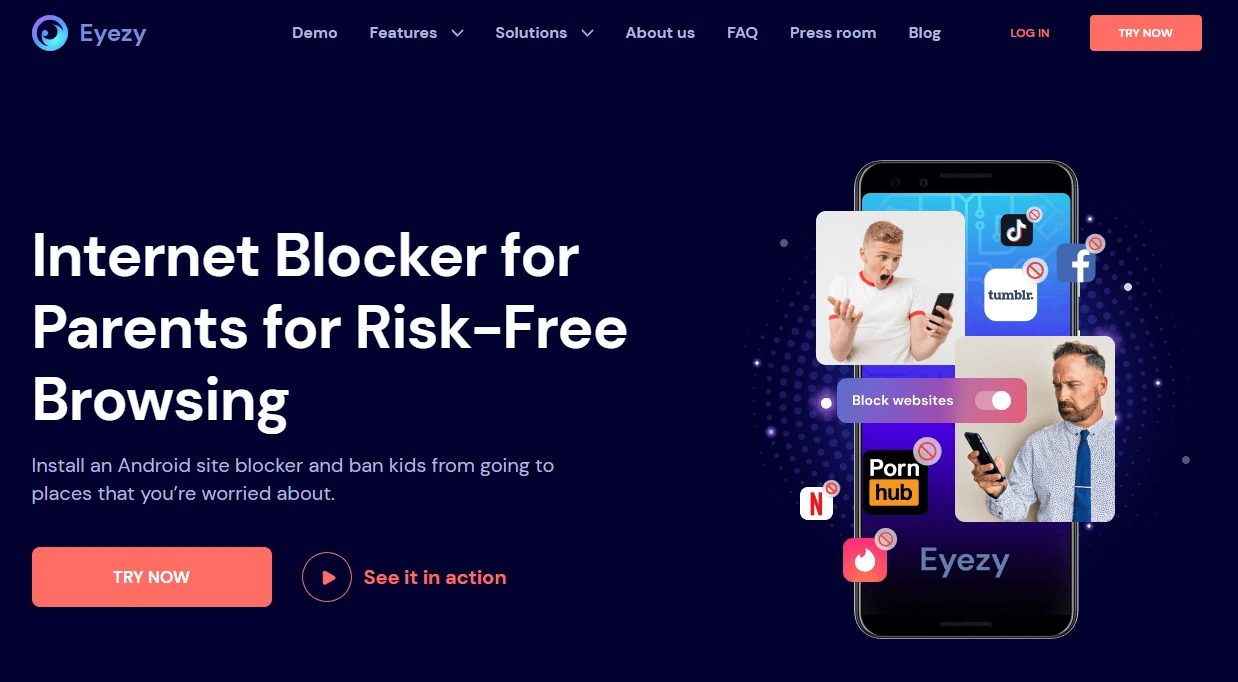
Eyezy is best when your goal is a strict “block these websites” approach. It’s a good fit for parents who want quick action and a tighter-control feel—especially if you already know the sites you want gone.
Product highlights
- Website blocker feature designed for iPhone and Android
- Good for a short must-block list (adult sites, gambling, distracting platforms)
- Pairs well with Screen Time restrictions to reduce bypass attempts
What’s to like
- Direct and strict “block list” approach
- Useful when you need results fast without overthinking categories
What’s not to like
- On iPhone, bypass prevention still relies on iOS restrictions
- If you want broad filtering (not just a list), Parentaler may be the better long-term fit
PROS
- Strong choice for blocking specific websites
- Good “strict control” feel
CONS
- Not fully “set-and-forget” if a teen tests loopholes
- May feel heavier than needed for gentle guardrails
Bark (Broader parental control baseline)

Description
Bark is the best fit when you want website blocking as part of a broader family safety system. On iPhone, think of it as a parent-friendly layer that supports your rules—while you rely on Screen Time for the strictest enforcement.
Product highlights
- Family-first parental control approach
- Good baseline for kids and teens (especially “first phone” families)
- Pairs well with Screen Time, Downtime, and content restrictions
What’s to like
- Great long-term “healthy digital habits” foundation
- Less likely to turn into constant settings micromanagement
What’s not to like
- If you only want to block a short list of sites, it may be more than you need
- For strict enforcement, you still need solid iOS Screen Time setup
PROS
- Excellent family-friendly baseline
- Supports broader parenting strategy beyond “just blocking”
CONS
- Not the most single-purpose website blocker
- iOS enforcement still lives in Screen Time settings
mSpy (Porn Blocker)
Description
mSpy’s porn blocker positioning is best treated as a focused protection layer when adult content exposure is the main concern. It’s not the simplest “general website blocker,” but it can be useful when the risk profile is higher and you want stronger guardrails.
Product highlights
- Porn blocker-style filtering angle
- Useful when “content risk” is the main issue
- Better suited for older kids/teens who actively test boundaries
What’s to like
- Direct approach if adult content is your key problem
- Can reduce both accidental exposure and deliberate searching
What’s not to like
- Overkill if you only want to block a couple of distracting sites
- Must be used responsibly, legally, and with clear parenting rules
PROS
- Strong focused layer for adult content protection
- Helpful when “simple blockers” aren’t enough
CONS
- Not a lightweight casual website blocker
- Still needs solid iOS restrictions to prevent common bypasses
Legal & ethical notes (important)
Use website blockers and parental controls only on devices you own/manage and for legitimate parenting or safety purposes. For teens especially, clear rules and transparency usually work better long-term than secret surveillance.
Read before installing any monitoring-style tools: legal phone tracking: what’s allowed and what’s not.
FAQ
What’s the best website blocker app for iPhone overall?
For most families, Parentaler Web Filtering (iPhone) is the best practical starting point—especially when combined with strong Apple Screen Time restrictions.
Why do many iPhone website blockers fail?
Because iOS enforcement is largely controlled by Apple settings. The most common bypasses are VPN/profile changes, DNS changes, and switching browsers.
Should I use Apple Screen Time instead of an app?
Use Screen Time as your foundation. Many third-party apps work best as a filtering/visibility layer on top of Screen Time, not as a replacement.
Is it better to block specific sites or filter by categories?
Category filtering is usually better for kids because it scales. Specific-site blocking is best for a short “must-block” list.
Can my child bypass filtering using a VPN?
Often yes. If your child can install or enable VPN/proxy tools freely, many filters become optional. Lock down changes via Screen Time and set a clear household rule.
Do I still need screen time limits if I block websites?
Often yes. Website blocking helps with content exposure, but habits usually need time rules too. See best screen time apps for iPhone.