

Blocking websites on Android sounds simple… until you try it in real life. Kids switch browsers, install VPNs, use private DNS, or just find a loophole you didn’t even know existed.
This guide is built around what actually matters: device-wide blocking (not just one browser), filtering that doesn’t randomly stop, and setups that are hard to bypass without turning your home into a tech support desk.
If you only need a quick decision, use the verdict + checklist and pick one tool that matches your situation.
Short on time? Quick verdict
- Best overall for Android web filtering: Parentaler Web Filtering (Android)
- Best for “block specific sites fast” + tighter control feel: Eyezy Website Blocker
- Best “family-safe” baseline if you want broader parental control too: Bark
- Best if your main issue is adult content exposure: mSpy Porn Blocker
Quick jump: Verdict · Comparison table · What really matters on Android · Best for your situation · Setup tips · Reviews · Legal notes · FAQ
60-second decision checklist
Answer these quickly—then pick one app and commit to the setup:
- I want device-wide filtering (not just Chrome) → start with Parentaler.
- I mainly need to block a list of specific sites and I want it to feel strict → consider Eyezy.
- I want a broader “parental control + safety” baseline, not just site blocking → Bark.
- The biggest risk is adult content and I want a focused layer for that → mSpy Porn Blocker.
- My kid uses VPN/private DNS → prioritize strong setup rules (see setup tips) and avoid “browser-only” blockers.
Before paying, compare platform fit and expectations in our Top 10 Parental Control & Phone Monitoring Apps Comparison Table.
Verdict: which Android website blocker should you choose?
If you want the most practical “block websites + filter content” approach on Android, start with Parentaler Web Filtering (Android). It’s the best match for parents who want fewer loopholes and a straightforward goal: keep harmful sites out.
If your goal is quick, strict blocking of specific sites (and you like a tighter-control feel), Eyezy Website Blocker is a solid pick to compare head-to-head with Parentaler.
If you want “website blocking” as part of a bigger parenting system (rules, safety, and a family-friendly approach), Bark is a strong baseline.
If your main concern is adult content exposure, add a focused layer like mSpy Porn Blocker—especially if the child is old enough to actively seek loopholes.
Try Parentaler Web Filtering | Try Eyezy Website Blocker
Comparison table: best website blocker apps for Android
This table is “parent reality”: what each option is best for, and what can break the setup if you’re not careful.
| App | Best for | Blocking style | Watch-outs |
|---|---|---|---|
| Parentaler | Device-wide web filtering for most families | Filtering-first parental control approach | Needs a clean setup + rules against VPN/private DNS |
| Eyezy | Blocking specific sites fast | Website blocking features + control tools | Not a “set-and-forget” solution if the child tests loopholes |
| Bark | Family-safe baseline + broader parental control | Safety + parental control layer (not just blocking) | Still requires good Android settings to stay consistent |
| mSpy | Adult content-focused protection layer | Porn blocker-style filtering angle | Overkill if you only want light website blocking |
What really matters on Android (and why most blockers fail)
“Website blocker” can mean very different things. The success (or failure) usually comes down to how the block is enforced:
- Browser-only blockers are easiest to bypass (install a new browser, use in-app browsers, switch profiles).
- Device-wide filtering is harder to bypass, but requires correct permissions and settings.
- VPN / Private DNS loopholes are the #1 bypass method on Android. If your child can install a VPN or set Private DNS, many blockers become optional.
- Battery optimization can silently break filtering apps (Android pauses background services).
If you want the bigger picture beyond website blocking, start here: The Best Parental Control & Phone Monitoring Apps. For time limits + schedules, see best screen time apps for Android.
Best for your situation
1) “Younger kid, I want safe browsing with minimal drama”
Start with Parentaler. Keep the rule simple: “safe sites are allowed, unsafe sites are blocked,” and you’ll negotiate less than with hour-by-hour screen time fights.
2) “My kid is smart and will try loopholes (VPN, DNS, new browsers)”
Pick a device-wide approach (Parentaler) and combine it with stronger device rules (see setup tips). If you need more context around behavior, compare with Bark.
3) “I mainly need to block a handful of sites (TikTok web, adult sites, gambling)”
Eyezy Website Blocker is a strong contender when the main goal is a strict “block list” feel.
4) “Adult content is the main concern”
Use a focused layer like mSpy Porn Blocker and keep the setup consistent. If the child is under 13, you’ll also want: the safest parental control apps for kids under 13.
Setup tips (avoid the most common bypasses)
- Block VPN installs (if possible) and don’t allow unknown app sources. VPN = instant loophole for many filters.
- Lock down Private DNS (or at least check it regularly). A custom DNS can bypass category filtering.
- Disable battery optimization for the filtering app on the child’s device (this fixes many “it stopped working” complaints).
- Test across browsers: Chrome, Samsung Internet, Firefox, and in-app browsers. If it only blocks in one place, it’s not enough.
- Keep it honest and consistent: if you’re constantly changing rules, kids will constantly test new loopholes.
If you’re choosing between Android tools broadly (beyond filtering), use: how to choose the right Android app. For a Bark-specific safety angle, see: Bark screen time & content filter review.
Reviews
Parentaler (Web Filtering for Android)
Description
Parentaler is a filtering-first parental control option that fits this article’s goal: block websites on Android in a practical, parent-friendly way. It’s best when you want fewer loopholes and a simple rule: safe websites are allowed, unsafe ones are not.
Product highlights
- Web filtering designed specifically for Android
- Good fit for “device-wide safety” parenting
- Practical guardrails without needing advanced tech skills
What’s to like
- Strong match for most families who want website blocking first
- Works best when combined with basic device rules (VPN/DNS restrictions)
What’s not to like
- If your child aggressively tests bypasses, you’ll still need to lock down VPN/private DNS
- Not the best choice if you want “deep visibility” into everything (that’s a different category)
PROS
- Great “block websites + filter content” focus for Android
- Good parent experience when set up cleanly
CONS
- Can be undermined by VPN/DNS if you allow it
- Requires a little setup discipline to stay reliable
Check Parentaler Web Filtering
Eyezy (Website Blocker)
Description
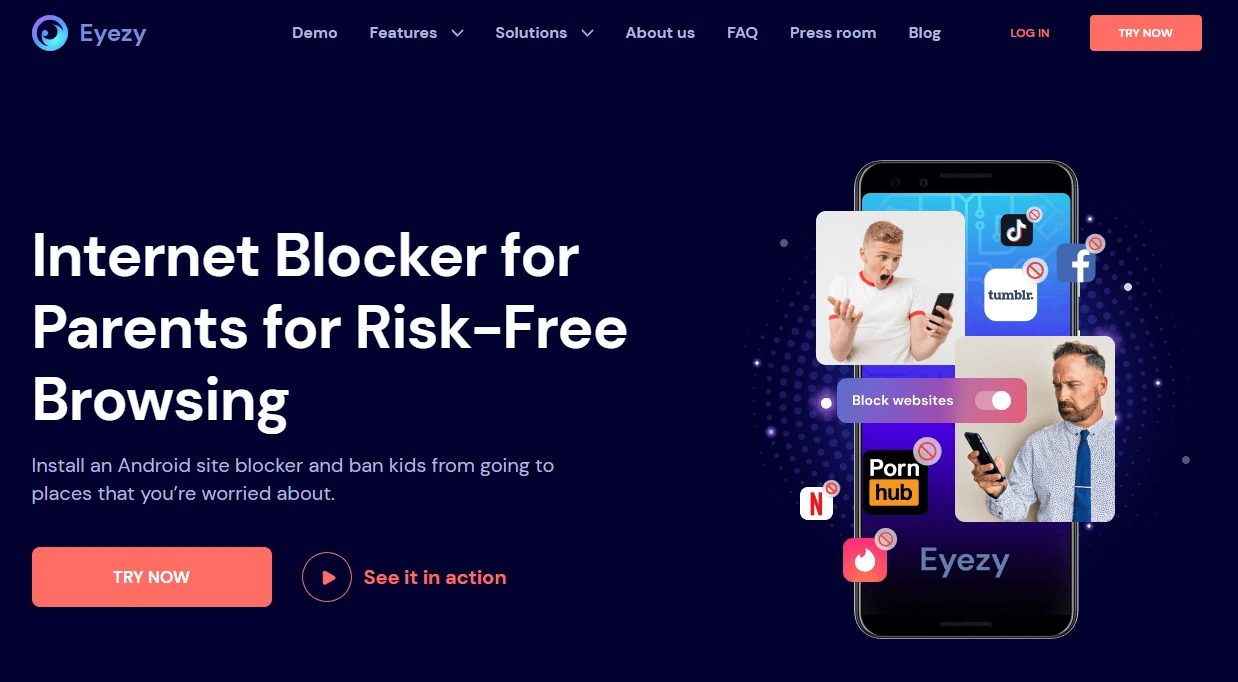
Eyezy is a strong contender when your goal is a strict “block these websites” approach. It’s best for parents who want to quickly restrict specific sites and keep control tight—especially when a child keeps “accidentally” landing on the wrong content.
Product highlights
- Website blocker feature designed for Android & iPhone
- Good fit for “specific-site blocking” parenting style
- Pairs well with clearer device rules to reduce bypass attempts
What’s to like
- Feels strict and direct (great for block lists)
- Useful when you want fast action without a huge learning curve
What’s not to like
- Not a magic solution if the child can freely use VPN/private DNS
- If you only need “light filtering,” it may feel heavier than necessary
PROS
- Strong option for blocking specific websites
- Good “tight control” feel
CONS
- Needs strong device rules to prevent common bypasses
- Overkill if you just want gentle guardrails
Bark (Broader parental control baseline)

Description
Bark is best when you want website blocking as part of a bigger system: safer browsing, healthier habits, and a parent-friendly approach that doesn’t feel like you’re building a custom IT department at home.
Product highlights
- Family-first parental control approach
- Good baseline for kids & teens (especially first-phone families)
- Pairs well with screen time rules and content safety goals
What’s to like
- Great “set a healthy baseline” tool rather than a single-purpose blocker
- Works well when you want fewer fights and more consistent rules
What’s not to like
- If your only goal is blocking a short list of websites, a filtering-first tool may be a simpler fit
- Android reliability still depends on proper permissions/settings
PROS
- Excellent for broad family safety and parental control
- Good long-term “baseline” choice
CONS
- Not the most “single-purpose” website blocker
- Needs a clean Android setup to stay consistent
mSpy (Porn Blocker angle)
Description
mSpy’s porn blocker positioning is best treated as a focused safety layer when adult content exposure is the main concern. It’s not the simplest “general website blocker,” but it can be useful when the risk profile is higher and you want stronger guardrails.
Product highlights
- Porn blocker-style filtering angle
- Useful when “content risk” is the main issue
- Better suited for older kids/teens who actively seek loopholes
What’s to like
- Direct approach if adult content is the key problem
- Can reduce “accidental exposure” and deliberate searching
What’s not to like
- Overkill if you just want to block a couple of distracting websites
- Requires ethical, legal use and clear parenting rules
PROS
- Strong focused layer for adult content protection
- Useful when simple blockers aren’t enough
CONS
- Not the lightest option for casual website blocking
- Still needs a good Android setup (and sensible rules) to stay effective
Legal & ethical notes (important)
Use website blockers and parental controls only on devices you own/manage and for legitimate parenting or safety purposes. Be extra careful with teens: clear family rules and transparency usually work better long-term than secret surveillance.
Before installing any monitoring-style tools, read: legal phone tracking: what’s allowed and what’s not.
FAQ
What’s the best website blocker app for Android overall?
For most families who want practical web filtering with fewer loopholes, Parentaler Web Filtering (Android) is the best place to start.
Why do many Android website blockers fail?
The most common bypasses are VPNs, Private DNS settings, and switching browsers. Browser-only blockers are especially easy to bypass.
Is it better to block specific sites or use category filtering?
Category filtering is usually better for kids because it scales. Specific-site blocking works best for a short “must-block” list (social sites, gambling, adult sites).
Can my child bypass website blocking with a VPN?
Yes—often. If your child can install and run a VPN, many filters become optional. Lock down installs and keep VPN rules strict.
What should I do if blocking randomly stops working?
Check battery optimization and permissions first. Android can pause background services, which breaks device-wide filtering.
Do I still need screen time limits if I block websites?
Often yes. Website blocking reduces exposure and distractions, but screen time limits help with habits. See best screen time apps for Android.