

Important: If you’re hoping to install a spy app on someone’s phone without ever touching it, you’re going to hit some hard limits. In 2026 there is no legitimate app that can secretly break into a fully-secured Android or iPhone with zero physical access, zero consent and zero credentials.
What is possible is more realistic:
- Using cloud-based tools to locate a phone or check limited data remotely
- Monitoring devices that were already set up earlier (e.g. kids’ phones, company phones)
- Using consent-based links to get one-time GPS location without installing anything
This guide explains what “monitoring apps that work without physical access” actually means in 2026 and which tools are worth considering if you want remote-style monitoring without risky hacks.
If you need a full market overview, start with our main hub: Top Parental Control (aka Spy) Apps in 2026 and the side-by-side Parental Control & Monitoring Apps Comparison Table.
Short on time? Best “remote-style” monitoring apps in 2026
These tools are the most useful when you can’t keep picking up the phone every day, but still need some visibility.
- Best all-round remote dashboard (once installed): mSpy – classic spy app for Android & iPhone; after setup you manage everything from a web dashboard.
- Best for “where is this phone right now?” without installing apps: Scannero Search Phone Number – sends a consent-based tracking link by SMS; no physical access or app install needed.
- Best for remote-style parental monitoring across multiple devices: Eyezy – family dashboard for Android & iPhone, once devices are configured.
- Best for social-heavy teens: uMobix – strong on social and messaging apps, with remote monitoring once installed.
- Best for routes and GPS history: Moniterro – focuses on “where has this phone been today?”
- Extra all-in-one option: Spynger – another Android/iPhone monitoring suite to compare with the big names.
For a deep dive into what these apps can and can’t see, read: Spy App Features Explained: What You Can (and Can’t) Monitor.
Can any spy app really work with zero physical access?
Short answer: no – at least not in the “Hollywood hacker” way the phrase suggests.
On modern phones, security is built around:
- Strong encryption tied to device passcodes or biometrics
- Locked-down app permissions and sandboxing
- Cloud accounts (Google, Apple ID/iCloud) and two-factor authentication
Because of this, any site claiming it can “hack any phone remotely in 5 minutes, no access needed” is almost certainly:
- A scam that never delivers what it promises, or
- Malware that can infect your own device or steal your payment data
Legitimate tools that offer remote-style monitoring usually rely on one of three realistic scenarios:
- The app was already installed earlier (for example when you gave your child or employee the phone). You don’t need to touch the device every day – you just log into a web dashboard.
- You have valid cloud credentials (Apple ID, Google account) and two-factor codes, so you can configure cloud-based monitoring or use built-in tools like Find My / Find My Device.
- You use a consent-based link (like Scannero) that the person taps, which temporarily shares their location with you.
Everything else is usually marketing hype or outright fraud. If you’re ever in doubt, cross-check what you’re reading with our legal guide: Legal Phone Tracking: What’s Allowed and What’s Not.
Best monitoring apps that support remote-style monitoring
The apps below are chosen from our broader comparison in the Parental Control & Monitoring Apps Comparison Table. We’ll focus specifically on how they behave after initial setup when you don’t want to keep touching the phone.
1. mSpy – best overall for remote monitoring after setup
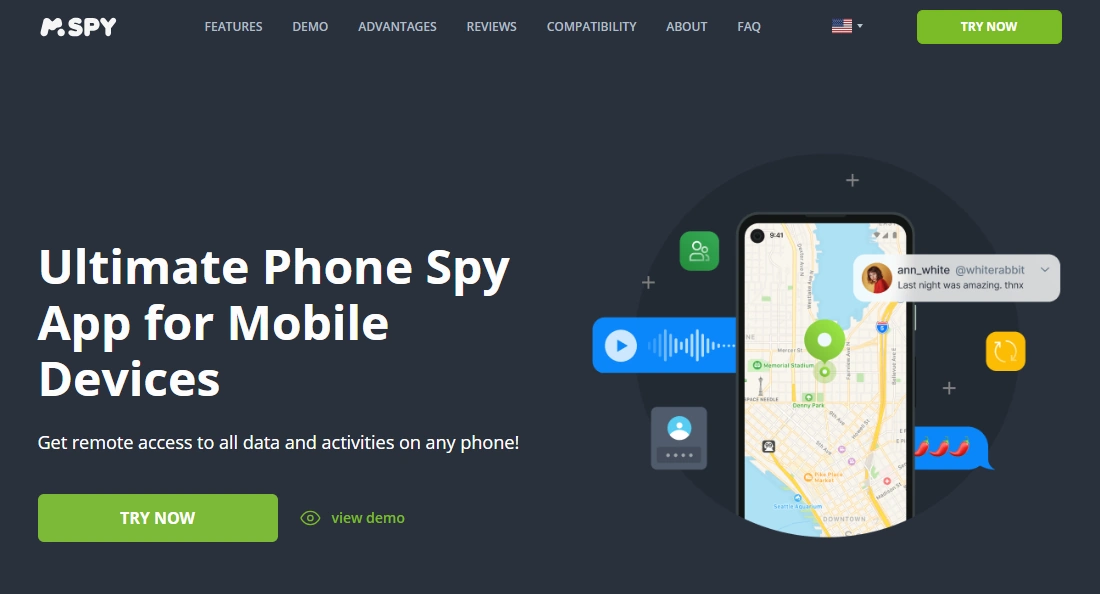
mSpy is one of the most established monitoring apps in the market. On both Android and iPhone, once the app (or iCloud-style integration) is set up, you control everything from a secure web dashboard – no daily physical access required.
Typical workflows after setup include:
- Checking new messages, calls and social activity from your browser
- Reviewing GPS location and route history
- Adjusting monitoring settings remotely
If you’re specifically interested in Android, see our full tutorial: mSpy for Android – Full Review & Setup Guide.
Product highlights
- Works on Android and iPhone (with different setup methods)
- Strong mix of messaging, social and location monitoring
- Everything is managed remotely through a web dashboard
What’s to like
- Once the app is installed correctly, you rarely need physical access again
- Dashboard is designed for non-technical parents and employers
- One of the strongest ecosystems of guides and support articles
What’s not to like
- Initial setup on Android does require physical access
- On iPhone, you may need valid Apple ID credentials and two-factor codes
PROS
- Excellent all-round spy app once installed
- Remote dashboard access from almost any browser
- Deep feature set compared to lighter parental control apps
CONS
- Not a magic “zero access” tool – setup still matters
- Subscription-based, so costs can add up over time
Best for: parents and employers who can handle one proper install and want long-term remote access afterwards.
2. Scannero Search Phone Number & Lost Phone – best for location without apps
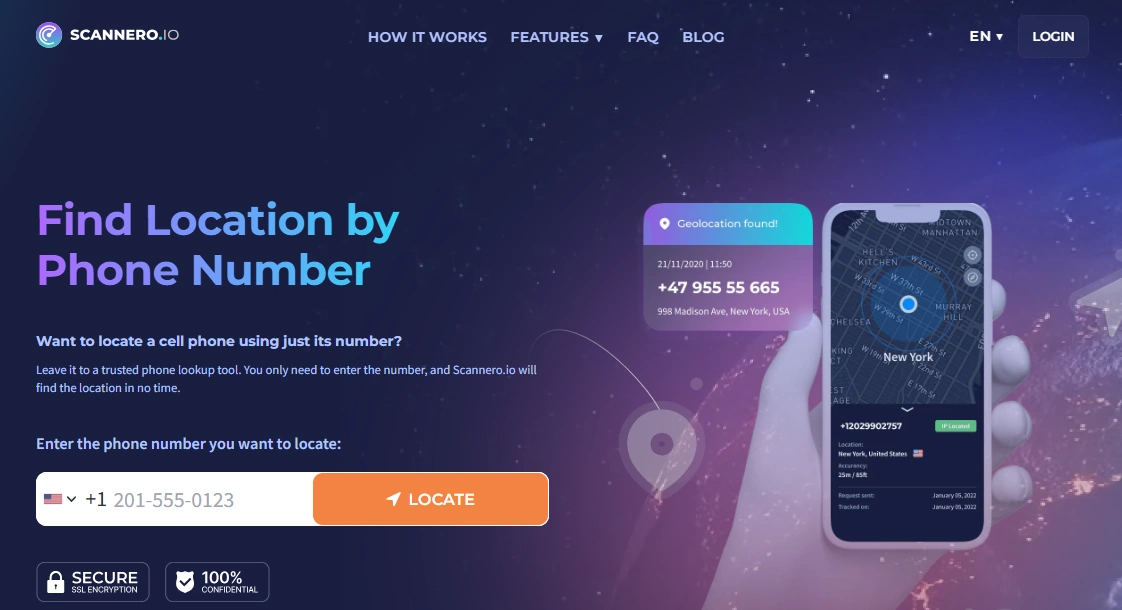
Scannero Search Phone Number and the dedicated Scannero Lost Phone workflow are perfect when you don’t need full spying – you just need to know “where is this phone right now?”
Instead of installing a spy app, Scannero uses a web-based process:
- You enter the phone number (with country code)
- Scannero sends an SMS with a secure tracking link
- Once the person taps the link, their GPS location appears on your map
No physical access, no app installation, and no Apple ID or Google password required.
For a step-by-step guide, read: How to Track a Phone Number with Scannero (Full Tutorial).
Product highlights
- No app install – works from any browser
- Works on both Android and iPhone via SMS link
- Special “Lost Phone” flow tailored for missing devices
What’s to like
- Great when physical access is impossible but you still need location
- Fast setup, with no technical steps
- Pairs nicely with more advanced monitoring apps for one-off checks
What’s not to like
- Not a full spy app – you won’t see chats, social media, or photos
- Location only appears after the link is opened (no forced tracking)
PROS
- Truly no physical access needed
- Cross-platform support (any smartphone that can open a link)
- Ideal for lost phones and simple safety checks
CONS
- One-time or short bursts of tracking, not deep monitoring
- Still requires consent – which is legally important
Best for: lost phones, quick location checks and situations where you only need GPS – not full spy features.
3. Eyezy – remote family dashboard for multiple devices

Eyezy is built as a family monitoring dashboard. Once installed and configured, it lets you see app usage, web activity and location for multiple phones without re-touching them.
For Android-specific details, see: Eyezy for Android – Complete Review & Setup Guide.
Product highlights
- One web dashboard for Android & iPhone
- Focus on parental control rather than hardcore “spy” features
- Activity overviews that are easy to understand at a glance
What’s to like
- Great if you’re managing several kids’ devices
- Once the app is set up, ongoing checks are 100% remote
- Better UX than many older spy app dashboards
What’s not to like
- Initial installation usually still needs physical access (especially on Android)
- Some advanced features may not be available on every iOS version
PROS
- Balanced mix of monitoring and “parent-friendly” design
- Good choice when you want to avoid constant tinkering with the phone
- Works well as part of a broader family safety strategy
CONS
- Not aimed at deep forensic-level investigations
- Best results require clear rules and consent in the family
Best for: parents who want clear, remote visibility into several kids’ devices after an initial setup session.
4. uMobix – social-first spy app for remote checking

uMobix is known for its focus on social media and messaging apps. Once everything is configured, you can remotely review activity in key apps, without needing to touch the phone every day.
If your main concern is “what are they doing on their phone all day?”, uMobix is one of the better options to check out alongside mSpy and Eyezy.
Product highlights
- Strong support for popular social and chat apps
- Works on both Android and iPhone (with platform-specific differences)
- Remote dashboard that’s updated as the device syncs
What’s to like
- Good at highlighting risky behavior in apps (not just raw logs)
- You can keep an eye on things remotely after installation
- Works well alongside more “rules-based” parental control tools
What’s not to like
- Initial installation usually needs physical access, especially on Android
- Feature depth can change when apps update their own security
PROS
- Strong social and messaging focus
- Remote monitoring once correctly set up
- Useful for teens whose main risk is how they use apps – not where they are
CONS
- Not all features are available on every OS version
- Requires realistic expectations around what’s technically possible
Best for: parents who care more about social and messaging behavior than pure GPS tracking.
5. Moniterro – remote GPS and route tracking

Moniterro is focused on one big question: where has this phone been? After setup, you can remotely review GPS routes, check-ins and daily movement patterns.
Product highlights
- Route history and GPS timelines
- Cross-platform coverage (Android & iPhone)
- Simpler interface than many feature-heavy spy suites
What’s to like
- Less overwhelming than huge “all-in-one” dashboards
- Perfect when location is your top priority
- Can be combined with other apps (e.g. mSpy or Eyezy) if needed
What’s not to like
- Limited insight into deep messaging behavior
- Still depends on initial setup and device permissions
PROS
- Clear focus on where the phone goes and when
- Remote-only usage after the first configuration
- Good for accountability on work phones and teen devices
CONS
- Not ideal if you mainly care about social media or keylogging
- Some features can vary by OS and device model
Best for: families and employers who mainly want a clear, remote record of where a device has been.
6. Spynger – extra all-in-one spy app to compare
Spynger sits in the same category as mSpy, Eyezy and uMobix – a general-purpose monitoring app for Android and iPhone with a remote web dashboard.
Product highlights
- Monitors calls, texts, apps and (device-dependent) social media
- Remote access to data through an online panel
- Supports multiple devices under one account
What’s to like
- Nice extra option if you don’t like the interface of other apps
- Remote management once the initial setup is done
- Balanced feature set for everyday monitoring needs
What’s not to like
- As with other apps, installation and permissions still matter
- Not a “zero access” hacking tool, despite what some shady sites claim about similar products
PROS
- Another viable all-in-one spy app with remote dashboard
- Works across Android and iPhone
- Fits nicely into the same workflows as mSpy/Eyezy/uMobix
CONS
- Feature reliability can vary across devices and OS versions
- Requires clear, legal use cases to stay on the right side of the law
Best for: users who want an extra all-in-one option and are comparing several monitoring apps before deciding.
Which app is best for your situation?
You’ve already had physical access once (or can get it briefly)
- If you can do a proper one-time installation, start with mSpy or Eyezy for overall monitoring.
- For Android-focused setups, read our detailed guides: mSpy for Android and Eyezy for Android.
You have zero physical access but need location
- Use cloud tools like Apple’s Find My or Google’s Find My Device when they’re enabled on your own devices.
- For cross-platform location requests via SMS links, try Scannero Search Phone Number or the Scannero Lost Phone flow.
- For more ways to do this safely, see Top 5 Ways to Find Someone’s Location by Phone Number.
You want ongoing GPS & routes with minimal phone handling
- Set up Moniterro for clear route timelines.
- Compare it with other GPS-focused tools in our Best GPS Tracker Apps for Families guide.
You’re tempted to spy on a partner or other adult in secret
That’s a huge red flag. In most countries it is illegal to secretly monitor another adult’s personal phone without consent, even if you’re in a relationship. Before you take any step in that direction, read this first: Legal Phone Tracking: What’s Allowed and What’s Not.
Is it legal to use monitoring apps without physical access?
Whether you physically touch the phone or not doesn’t change the legal basics. Usually it’s legal to monitor:
- Your child’s phone, when you bought it and pay for it
- Company-owned devices, when employees are clearly informed
- Your own devices (e.g. your second phone, work phone, tablet)
It is usually illegal to secretly monitor:
- Your partner’s personal phone
- Friends or family members’ devices without clear consent
- Any device that you do not own or manage, where you don’t have explicit permission
If you’re unsure what applies in your country, treat Legal Phone Tracking: What’s Allowed and What’s Not as your starting point before installing anything.
Final recommendations
- Need classic spy app monitoring after one-time setup? Start with mSpy, then compare with Eyezy, uMobix and Spynger.
- Need fast location checks with zero physical access? Use Scannero Search Phone Number or Scannero Lost Phone.
- Care most about routes and GPS history? Look at Moniterro and the apps in our Best GPS Tracker Apps for Families article.
- Not sure what you actually need? Use the Parental Control & Monitoring Apps Comparison Table to filter by platform, features and budget.
FAQ – Monitoring apps that work without physical access
1. Can I install a spy app on someone’s phone without ever touching it?
Realistically, no. Legitimate apps cannot bypass strong security on modern phones without any physical access, credentials or consent. Most real-world setups require at least one of the following: a short installation session, valid cloud account details, or the person tapping a consent-based link.
2. Which monitoring apps work best once I no longer have physical access?
Apps like mSpy, Eyezy, uMobix and Spynger are designed so that, after setup, you rarely need to touch the phone again. You simply log into a web dashboard to review data remotely.
3. How can I track a phone’s location without installing a spy app?
If you own the device, start with built-in tools like Apple’s Find My or Google’s Find My Device. For cross-platform tracking via SMS links, services like Scannero Search Phone Number and Scannero Lost Phone can request GPS location without installing apps.
4. Is it legal to monitor someone’s phone remotely without telling them?
In most countries, secretly monitoring an adult’s personal phone is illegal, whether you use physical access or not. Monitoring is generally only legal on devices you own or manage (like your child’s phone or company devices) and even then you may be required to inform the user. For details, read Legal Phone Tracking: What’s Allowed and What’s Not.
5. What’s the safest way to choose a remote-style spy app?
First, define your goal (location only, social apps, routes, etc.). Then compare reputable tools in our Parental Control & Monitoring Apps Comparison Table. Avoid any site promising unlimited, instant hacking of any phone with no access – that’s a major red flag for scams or malware.