

Important: If you’re looking for “magic” spy apps that can break into an iPhone without Apple ID, iCloud password, or physical access, you’re going to be disappointed. In 2026 there is no legitimate app that can bypass Apple’s security and give you full access to someone else’s iPhone in secret.
However, there are tools that can still help in realistic, legal scenarios – for example, locating a lost phone, monitoring your own child’s iPhone, or keeping an eye on company-owned devices. In this guide, we’ll explain:
- What’s actually possible without knowing someone’s Apple ID or iCloud password
- The best apps and services that can still help (within Apple’s limits)
- When you must have Apple ID / iCloud access, and when you don’t
- Legal rules you should know before using any monitoring app
If you want a broader market overview first, start with our main comparison: Top Parental Control (aka Spy) Apps in 2026 and the full Parental Control & Monitoring Apps Comparison Table.
Short on time? Best “no Apple ID / no iCloud password” options
Here’s the quick version before we dive into the details.
- Best for “where is this phone right now?”: Scannero Search Phone Number – web-based phone number tracker that sends a consent-based location link to the device. No app install or Apple ID login required.
- Best for iPhone parents who don’t want jailbreak-level hacks: mSpy No Jailbreak Tracking – iCloud-style iPhone monitoring that still respects Apple’s limits and requires proper setup.
- Best all-round dashboard for families (Android & iPhone): Eyezy – multi-platform parental control with practical iPhone coverage.
- Best for social-heavy teens (within Apple’s rules): uMobix – focuses on app and social activity, depth varies by device and settings.
- Best extra option for GPS & activity history: Moniterro – good for routes and overall usage timelines.
- Extra app-style monitoring alternative: Spynger – another Android/iPhone compatible monitoring solution to compare with the big three.
Want to double-check what these tools can and can’t see? Read: Spy App Features Explained: What You Can (and Can’t) Monitor in 2026.
Can any spy app really work without Apple ID or iCloud password?
Short answer: not in the “Hollywood hacker” way many people imagine.
On modern iPhones, Apple’s security model is built around:
- Apple ID and iCloud (including mandatory two-factor authentication on most accounts)
- Device encryption tied to passcodes, Face ID or Touch ID
- Locked-down app permissions and sandboxing
Because of this, any site promising “full iPhone spying with zero Apple ID, no access, and no consent” is almost certainly:
- A scam that never delivers what it promises, or
- Malware that puts your own device and data at risk
Legitimate tools that are still useful in 2026 generally fall into three categories:
- Phone number-based location tools (like Scannero) – they send a link that the phone user has to tap. No Apple ID needed, but also no deep access to messages, photos, or apps.
- iCloud-based or backup-based monitoring (like mSpy’s no-jailbreak iPhone option) – these workflows rely on iCloud backups and settings being correctly configured. Some form of account or device access is still required, especially with two-factor authentication.
- Classic parental control apps – these are installed directly on the phone (usually with child/employer consent) and use Apple’s permitted APIs instead of “secret hacks”.
For a more detailed breakdown of what’s realistic, see: Spy App Features Explained: What You Can (and Can’t) Monitor in 2026.
Best monitoring apps and tools that still help without Apple ID or iCloud password
The tools below are chosen from our broader comparison resources, including the Parental Control & Monitoring Apps Comparison Table. We’ll focus on how they can help even when you don’t know – or don’t want to handle – someone else’s Apple ID credentials.
1. Scannero Search Phone Number – best when you just need the phone’s location
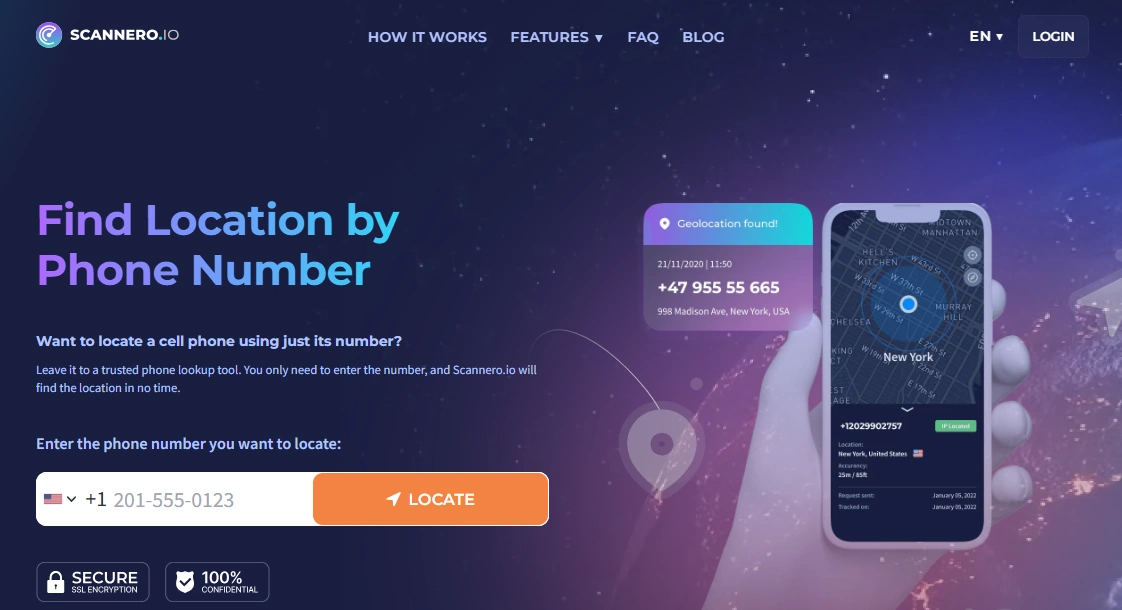
Scannero is not a classic spy app – it’s a phone number-based location service. Instead of installing software or logging into iCloud, you:
- Enter the phone number you want to locate
- Send a customized message with a secure tracking link
- See real-time GPS location after the person taps the link
This makes Scannero useful when:
- You’ve misplaced your own phone and need a quick location check
- A family member agrees to share their location for safety reasons
- You want a lightweight alternative to installing a full monitoring suite
For a step-by-step walkthrough, see our dedicated guide: How to Track a Phone Number with Scannero – Full Tutorial.
Product highlights
- No Apple ID, iCloud password, or app installation required
- Works with most smartphones that can receive SMS
- Browser-based dashboard – nothing to install on your own device
What’s to like
- Can help locate a device even when you don’t have account credentials
- Fast to set up for one-time “where is the phone?” checks
- Pairs nicely with more traditional parental control apps
What’s not to like
- Not a full spy app – you won’t see messages, photos, or app activity
- Requires the other person to tap the link (no forced tracking)
- Best for specific scenarios rather than 24/7 monitoring
PROS
- Truly no Apple ID / iCloud password required
- Works on both Android and iPhone
- Good fit for lost phone or safety-check situations
CONS
- Limited strictly to location workflows
- Depends on the person opening the link you send
Want a fast, no-install way to check where a phone is? Try Scannero Search Phone Number on the official site.
2. mSpy No Jailbreak Tracking – structured iPhone monitoring without deep hacks
mSpy’s No Jailbreak Tracking option is built specifically for iPhone parents who want extra visibility without jailbreak-level risk. Instead of hacking into iOS, it relies on iCloud-style workflows and Apple-approved data sources where available.
In practice, this means:
- You’ll still need to respect Apple’s rules and your local laws
- Feature depth depends heavily on iCloud backups and device settings
- You get a structured dashboard instead of random “hacks” and scripts
For a deeper dive into the iOS setup side, see: mSpy for iPhone – Full Review & Setup Guide (2025 Edition).
Product highlights
- No jailbreak needed – works within Apple’s environment
- Dashboard for iPhone activity, depending on backups and permissions
- Built by a long-standing player in the monitoring market
What’s to like
- Reduces technical risk compared to full jailbreak solutions
- Gives more structure than “DIY” tracking attempts
- Designed specifically with iPhone parents in mind
What’s not to like
- Still limited by Apple’s security model and iCloud settings
- Not a magic workaround if you have zero access or credentials
PROS
- iPhone-focused no-jailbreak option
- Sits between simple “find my phone” tools and full-blown spy suites
- Backed by extensive documentation and support
CONS
- Feature depth can vary by device and iOS version
- Not suitable for non-consensual “stealth” monitoring of other adults
Looking for a structured iPhone solution without jailbreak-level risk? Check the latest options on the official mSpy No Jailbreak Tracking page.
3. Eyezy – best all-round dashboard for multi-device families

Eyezy takes a “family dashboard” approach to monitoring. Instead of trying to bypass everything, it focuses on making the allowed data easy to read and act on.
On iPhone, Eyezy generally relies on the same kind of constraints as other legitimate tools – Apple’s APIs, backups, and built-in restrictions. You won’t get sci-fi level access, but you can usually see enough to make better decisions as a parent or employer.
Product highlights
- Single dashboard for multiple Android and iPhone devices
- Activity overview and location context instead of raw logs only
- More “parent-first” UI than hardcore spy tools
What’s to like
- Great if you manage several devices across platforms
- Data is organized in a way that non-technical users can understand
- Good entry point before deciding if you need anything more advanced
What’s not to like
- Some advanced features may not be available on every iPhone
- Still limited by Apple’s privacy and security policies
PROS
- Balanced coverage across Android and iOS
- Focuses on actionable insight, not just raw surveillance
- Fits well into long-term family safety strategies
CONS
- Not designed for deep forensic-level investigations
- Best results when combined with clear family rules and consent
Want a single, understandable dashboard for your family’s devices? Explore current plans on the official Eyezy website.
4. uMobix – strongest when social apps are your main concern

uMobix is best-known for its social media and messaging focus. On Android, it can go fairly deep without root in many scenarios. On iPhone, it still has to respect Apple’s restrictions – but it can provide more than just basic screen time stats when configured correctly.
If your main question is “what are they doing in apps all day?” rather than “where is the phone?”, uMobix is worth a look. Just remember that any iPhone solution still lives inside Apple’s security rules.
Product highlights
- Designed around social and messaging app visibility
- Supports both Android and iPhone devices
- Multiple devices can be monitored from a single dashboard
What’s to like
- Good fit for families with social-media-heavy teens
- More context than pure “time limit only” parental control tools
- Plays nicely with other safety steps you’re taking
What’s not to like
- Feature depth on iOS can be limited versus Android
- Not every family will be comfortable with intense social monitoring
PROS
- Social-first monitoring approach
- Helps you spot patterns of risky behavior
- Works across platforms with a unified dashboard
CONS
- Coverage depends on OS version and app updates
- Requires clear communication and consent to stay on the right side of the law
Need a teen-focused monitoring option? See the latest plans on the official uMobix website.
5. Moniterro – when location and daily routes matter most

Moniterro is built around a simple idea: “Where has this phone been today?” If your main concern is routes (school, friends, work, late-night trips), Moniterro can often provide enough context without pretending to be a full forensic tool.
Product highlights
- GPS location history and route timelines
- Overview of daily device usage and activity
- Works on Android and iPhone, with depth varying by device
What’s to like
- Less overwhelming than full spy dashboards
- Ideal when location is the top priority
- Can be combined with other apps (like Bark or Parentaler) for broader coverage
What’s not to like
- Not designed to read every chat and DM
- Some features behave differently across OS versions
PROS
- Clear focus on “where” and “when”
- Simpler learning curve than all-in-one spy suites
- Good fit for accountability and safety-check scenarios
CONS
- Limited insight into detailed messaging behavior
- Still bound by Apple’s privacy model on iPhone
Care most about routes and check-ins? View Moniterro’s current options on the official Moniterro website.
6. Spynger – extra option for app and social monitoring
Spynger sits alongside mSpy, Eyezy and uMobix as another multi-platform monitoring app. It’s mainly useful if you want a different interface or slightly different feature mix while staying within legal and technical limits.
Product highlights
- Monitors app usage, calls, and messages (device-dependent)
- Supports both Android and iPhone
- Focus on app and social activity visibility
What’s to like
- Good comparison point if you don’t like other dashboards
- Balanced coverage for everyday monitoring needs
- Fits into the same “parental control + monitoring” niche
What’s not to like
- Feature stability can vary by device and OS version
- Not designed as a “zero access, zero consent” spy tool (and you shouldn’t look for one)
PROS
- Extra alternative in the same category as mSpy / Eyezy / uMobix
- Supports different types of devices in one account
- Reasonable balance between features and complexity
CONS
- Requires realistic expectations around Apple’s limits
- Not a magic bullet for fully locked-down iPhones
Want one more app to compare before you decide? Check the latest offers on the official Spynger website.
Which “no Apple ID / no iCloud password” option is best for you?
When you’ve lost your phone or just need to know where it is
- Use built-in tools like Apple’s Find My for your own devices
- For extra flexibility or non-Apple devices, consider Scannero Search Phone Number
Also see: How to Track a Phone Number with Scannero – Full Tutorial.
When you’re a parent who just wants more visibility (without jailbreak)
- mSpy No Jailbreak Tracking – for iPhone-specific monitoring
- Eyezy – one dashboard for multiple devices
- uMobix – stronger focus on social apps
For help choosing your overall strategy, read: How to Choose the Right Monitoring App for Your Family.
When location and routes matter more than reading every message
- Moniterro – for ongoing GPS history
- Scannero Search Phone Number – for quick location checks
When you’re tempted to spy on a partner or adult without consent
Pause here. In most countries it’s illegal to secretly monitor someone else’s personal phone – even if you’re married or in a relationship. Before you install anything on a device you don’t own or pay for, read our legal guide: Legal Phone Tracking: What’s Allowed and What’s Not.
Is it legal to use monitoring apps without Apple ID or iCloud password?
Using “no Apple ID / no iCloud password” tools doesn’t automatically make everything legal. Generally, you’re allowed to monitor:
- Devices you own and pay for (for example, your child’s phone)
- Company-owned phones and tablets, when employees are clearly informed
- Your own personal devices (for backup or self-monitoring)
What is usually not allowed is secretly monitoring another adult’s private iPhone without their knowledge and consent. That can violate privacy laws and may have serious legal consequences.
Before using any monitoring app or service, take a few minutes to read: Legal Phone Tracking in 2026: What’s Allowed and What’s Not.
Final recommendations
- If you need a no-install, no-Apple-ID location tool, start with Scannero Search Phone Number.
- If you’re an iPhone parent looking for extra visibility without jailbreak, explore mSpy No Jailbreak Tracking.
- If you want a multi-device family dashboard, compare Eyezy, uMobix, Moniterro and Spynger.
- Still unsure? Use the full Parental Control & Monitoring Apps Comparison Table to compare all major apps side-by-side.
FAQ – Monitoring apps that work without Apple ID or iCloud password
1. Can any app fully spy on an iPhone without Apple ID or iCloud password?
No. On a modern iPhone with up-to-date iOS, there is no legitimate app that can give you full, secret access to messages, photos, and apps without either:
- Some form of account/device access during setup, and
- Respecting Apple’s security limits and your local laws.
2. What can I do if I don’t know the Apple ID password but need to locate a phone?
If it’s your own phone, use built-in tools like Apple’s Find My (as long as it was enabled before you lost it). For non-Apple devices or cross-platform scenarios, tools like Scannero Search Phone Number can help you request location via a consent-based link.
3. Are these apps legal to use without Apple ID or iCloud password?
Legality depends on who owns the device and who is being monitored. In most places you can monitor:
- Your child’s phone (that you provide and pay for)
- Company-owned devices, with proper disclosure
- Your own devices
Monitoring another adult’s personal phone in secret is usually illegal. Always check our legal guide: Legal Phone Tracking: What’s Allowed and What’s Not.
4. Do I ever truly avoid Apple ID and iCloud with iPhone monitoring?
In practice, no. For anything beyond simple location workflows, you’ll usually interact with Apple’s systems somehow – whether via iCloud backups, Screen Time / Family Sharing, or device-level permissions. The key is to work with Apple’s security model, not against it.
5. Can I install a spy app on someone else’s iPhone remotely, with no access?
Realistically, no – not in a safe or legal way. Remote “one-click” hacking apps are either scams or highly illegal tools. If you don’t have legal authority and informed consent, you shouldn’t be monitoring that device at all.