

Kids GPS watches sound simple: strap it on, see where they are, done. In real life, most parents get stuck on the same problems: location updates that lag, geofences that fire late, battery that dies before pickup, or “school mode” that’s basically a placebo.
This guide is built for real-life use. Not “cool smartwatch features” — just what matters when you need reliable location, safe communication, and fewer daily arguments.
If you’re still debating whether a watch is even the right move, read this first: how to choose between a kids phone and a kids GPS watch.
Short on time? Quick verdict
- Want GPS + safe calls/texts + school mode (without giving a full smartphone)? Go with Bark Watch.
- Already an Apple family and okay with a “real smartwatch” on a child? Consider Apple Watch Family Setup (strong, but easier to “grow into too fast”).
- Need only basic “where are they” with long battery? A simple kids watch may be enough — but set expectations on accuracy and alerts.
Quick jump: Verdict · Comparison table · What really matters · Best for your situation · Setup tips · Reviews · Legal notes · FAQ
60-second decision checklist
Answer these fast. Your “best kids GPS watch” becomes obvious.
- Do you need 2-way communication? If yes, pick a watch with safe contacts + SOS (not just location).
- Do you need school mode that actually locks things down? If yes, avoid watches where school mode is “notifications off” only.
- How often do you need updates? Real-time-ish tracking drains battery faster. Decide if you need updates every minute or only on demand.
- Geofences: do you need “arrived at school” alerts? Then you need reliable zone triggers (not “eventually updates”).
- Battery expectations: If you can’t charge nightly, prioritize battery over fancy features.
- Privacy & control: You want parent-only controls, safe contact lists, and minimal “kid browsing.”
- Phone vs watch: If the child needs apps, photos, or group chats, a kids phone might fit better than a watch.
Want a full “from zero to working” setup? Use this guide: how to set up a kids GPS watch with location alerts and school mode.
Verdict: which option should you trust?
Choose Bark Watch if…
- You want reliable location + safe communication without handing over a full smartphone.
- You care about school mode, contact controls, and “kid-first” design.
- You want a practical middle ground between “basic tracker” and “full smartwatch”.
Choose a full smartwatch family mode (e.g., Apple Watch Family Setup) if…
- You’re already deep in the Apple ecosystem and can manage the settings properly.
- You’re okay with a “real smartwatch” that may become a distraction over time.
- You want strong location + broader device features (with stricter discipline required).
Choose a basic kids GPS watch if…
- You mainly need “rough location” and a simple SOS workflow.
- You value longer battery and fewer moving parts.
- You accept that geofences and live tracking may be slower or less accurate.
If you’re still deciding between devices, these guides help (different priorities, same goal): best first phone for kids and kids phones with built-in parental controls.
Comparison table (simple, real-life)
| Option | Best for | Strengths | Trade-offs |
|---|---|---|---|
| Bark Watch | Most parents who want GPS + safe comms + school controls | Parent-focused controls, kid-safe communication, practical feature set | Not designed to be a “full smartwatch replacement” |
| Full smartwatch (Family Mode) | Older kids / tech-ready families | Strong ecosystem, robust hardware, lots of features | Can become distracting; needs stricter parenting + setup discipline |
| Basic kids GPS watch | Younger kids / “just location + SOS” | Simple, fewer features, often better battery | Location can lag; geofences can be unreliable |
| Kids phone (locked down) | Kids who truly need apps + messaging | More flexible; better typing; easier for group comms | Harder to keep “social media-free” unless you choose a strict device |
Trying to protect a “social media-free childhood”? These devices are built for that mindset: best kids phones for social media-free childhood.
What really matters (and what parents regret ignoring)
1) GPS reliability is more about updates than “GPS accuracy”
Most watches can show a dot on a map. The real question is: how often does it update, and how stable is it? A watch that updates late makes geofences useless and creates false panic (“They left school!” — but the watch just didn’t update yet).
2) Geofences should be boring
The best geofence is the one you stop thinking about. Look for consistent “arrived/left” alerts, configurable zones, and the ability to reduce notification spam.
3) School mode should actually reduce drama
School mode isn’t just “mute.” It should reduce distractions, prevent unauthorized messaging, and keep SOS/location working. If school mode doesn’t change behavior, it’s not school mode — it’s marketing.
4) Battery: plan for the worst day
The day your child forgets to charge is the day you want the watch most. If you can’t charge nightly, prioritize battery and reduce update frequency.
5) Safe communication beats “all apps” for younger kids
For younger kids, the win is controlled calls/texts with approved contacts and easy SOS. If your child truly needs apps, consider a kids phone designed to lock down properly.
Best for your situation
Best for younger kids (first independence)
Go for a kids-first GPS watch when the goal is: “I can reach them, they can reach me, and I can verify they arrived.” If your child is ready for a phone soon, read: best first phone for kids.
Best for after-school activities (pickup chaos)
Prioritize geofences + reliable updates. Set a “school” zone and a “home” zone, then one “activity zone” you edit as needed. Keep notification frequency sensible.
Best for co-parenting / two households
Choose a solution that supports consistent routines: shared access to alerts (when appropriate), clear contact rules, and agreed “school mode” times. The goal is fewer conflicts, not more surveillance.
Best if you’re trying to delay social media
A watch is often a better “bridge device” than a phone. If you do pick a phone, choose one that’s built for lockdown and simple rules: kids phones with built-in parental controls.
Setup tips (avoid the common headaches)
- Start with safe contacts: Add only parent/guardian + 1–2 trusted backup adults. Expand later.
- Set “boring” geofences first: Home + school. Test for 2–3 days before adding more zones.
- Tune update frequency: Use more frequent updates during commute hours, less frequent during school.
- Teach one SOS habit: “Press SOS only if you feel unsafe or you’re lost.” (Kids press it for “I’m bored” if you don’t define rules.)
- Battery routine: Same place every evening. Make it part of “teeth + charger + backpack.”
If you want the full walkthrough, step-by-step: how to set up a kids GPS watch with location alerts and school mode.
Reviews
Bark Watch — a practical “first device” for real life
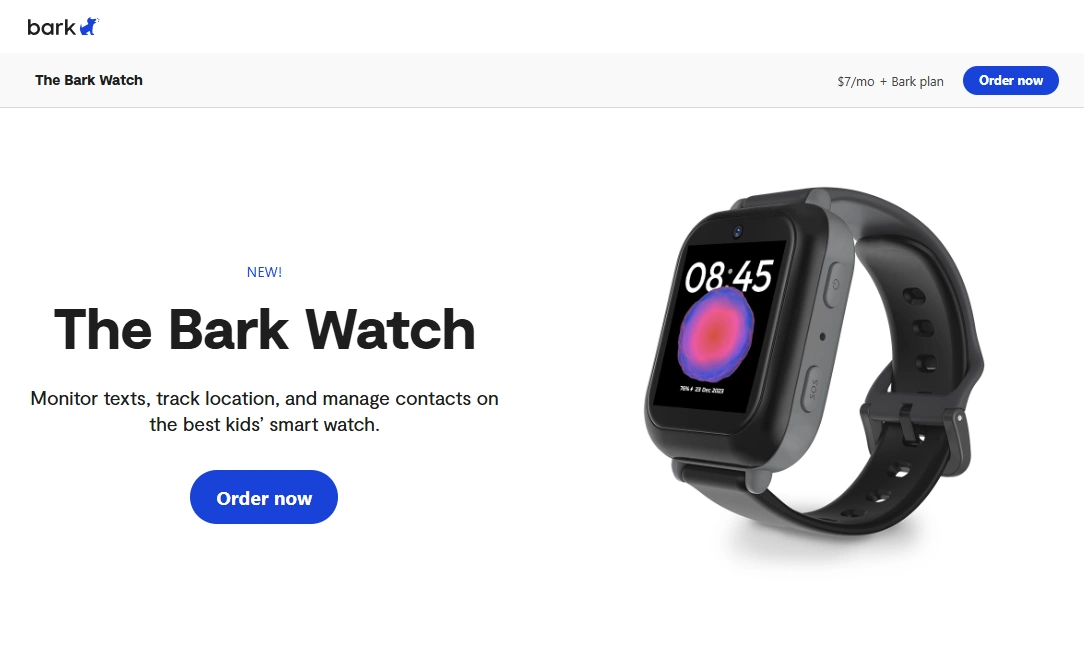
Bark Watch is built around one simple parent need: “Give my kid some independence without giving them a full smartphone.” It focuses on the essentials — location, safe communication, and parent-friendly control — without turning the watch into a tiny entertainment machine.
If you want something that feels like a sensible bridge between “no device” and “first phone,” Bark Watch fits that slot well.
Product highlights
- Location tracking designed for parents (practical over flashy)
- SOS-style emergency workflow
- School mode concept (reduce distractions while keeping safety active)
- Safer communication model than a full smartphone for many families
- Good “starter device” positioning for younger kids
What’s to like
- Less “negotiation fatigue” than a phone (fewer app arguments)
- Works well as a transition device before a locked-down first phone
- Parent-first control approach (less tinkering, more routine)
What’s not to like
- If your child truly needs apps/group chats, a watch may feel limiting
- As with any GPS wearable, battery and update frequency still require smart setup
- Not meant to replace a full smartwatch experience
PROS
- Strong “first device” fit for younger kids
- Safety-focused features without “full internet” pressure
- Easy to build routines around (charge, alerts, zones)
CONS
- May be too limited for older/very tech-driven kids
- Requires initial setup discipline to avoid false alerts
- Ongoing value depends on using zones/school mode properly
Ready to try Bark Watch? Check the latest options on the official website.
Want a deeper dive before buying? Read: Bark Kids GPS Watch Review.
Legal notes (please read)
Use monitoring tools only on devices you own or manage (for example, your child’s watch/phone under your care, or a company-owned device with a proper policy). Secretly tracking another adult without consent is often illegal and can have serious consequences.
For a clear overview, read: Legal phone tracking: what’s allowed and what’s not. If you need help doing this the respectful way, here’s a practical guide: how to get consent for phone monitoring.
FAQ
Do kids GPS watches work without a phone?
Many do, but it depends on the model. Some watches work with their own cellular plan and parent app, while others require pairing to a phone. Always confirm how location updates and SOS work before buying.
How accurate is GPS on a kids watch?
Accuracy varies by environment (indoors, dense cities, rural areas). What matters most is how frequently the watch updates and how stable those updates are for geofences and alerts.
What features matter most for school?
Look for a real school mode (limits distractions), safe contact controls, and an SOS workflow that still works while “locked.” Also make sure alerts don’t spam you all day.
Is it legal to track my child with a GPS watch?
Tracking your own child on a device you manage is generally legal, but laws vary. Avoid using tracking for secret monitoring of other adults. For details, read our legal overview.
What’s better: a kids GPS watch or a locked-down first phone?
A watch is often better for younger kids because it delays apps/social media and keeps communication simpler. A phone becomes better when the child truly needs apps, group communication, or school-related tools.
Why do geofence alerts sometimes arrive late?
Late alerts usually come from slow update intervals, weak signal, battery-saving modes, or background app restrictions. Tuning update frequency and zones typically fixes most “false panic” alerts.