

On iPhone, “call & SMS monitoring” is rarely as simple as people expect. iOS is locked down, and many tools work best as parent monitoring (managed device + legitimate setup) rather than “monitor everything in real time.”
The good news: for most parents, you don’t need perfect capture. You need reliable signals — call logs (numbers, timestamps, durations), texting patterns, and contact context — so you can spot risky behavior and start the right conversations.
This guide focuses on the iPhone options that make sense without jailbreak, what they’re good at, and what the real limitations are.
Short on time? Quick verdict
- Best overall for most parents: mSpy Calls Monitoring + mSpy SMS & Messages
- Best iPhone-first alternative: Parentaler Call + Parentaler Text Messages
- Best “Android-style dashboard” feel: uMobix Call Monitoring + uMobix SMS Monitoring
- Best simple texts-focused option: Eyezy SMS Monitoring
- Best family-style “text safety signals” approach: Bark – Monitor Text Messages
Quick jump: Verdict · Comparison table · What really matters · Best for your situation · Setup tips · Reviews · Legal notes · FAQ
Recommended internal reads: iPhone setup (safe & legal) · Best iPhone monitoring apps (no jailbreak) · Legal phone monitoring rules · Full comparison table
60-second decision checklist
- Permission first: Are you monitoring a device you own/manage (for example, your child’s iPhone), or do you have explicit consent?
- No jailbreak: If you’re a parent, avoid jailbreak. It adds risk and breaks “family reliability.”
- What do you mean by “texts”? Classic SMS vs iMessage vs messaging apps (WhatsApp/Telegram). “SMS monitoring” won’t cover everything.
- What do you mean by “calls”? Regular phone calls vs FaceTime/VoIP app calls. Most tools focus on call logs, not every voice channel.
- How often can you access the phone? One-time setup usually works best on iPhone.
- Fast pick: Start with mSpy Calls + mSpy SMS for the most parent-friendly “default.”
Verdict: which call & SMS monitoring app should you pick for iPhone?
Pick mSpy if you want the best overall parent setup (calls + message signals)
mSpy Calls Monitoring paired with mSpy SMS & Messages is the most practical “start here” option for parents. It’s built for routine monitoring (patterns, timestamps, contacts) and tends to be the most future-proof if you later need more than calls/texts.
Check mSpy Calls Check mSpy SMS
Pick Parentaler if you want a straightforward iPhone-focused alternative
Parentaler Call plus Parentaler Text Messages is a strong alternative for parents who want the essentials without turning this into a technical project.
Pick uMobix if you want a more “monitoring dashboard” style experience
uMobix Call Monitoring and uMobix SMS Monitoring fit parents who like a more aggressive monitoring dashboard — but iPhone limitations still apply, so set expectations realistically.
Pick Eyezy if you mainly care about text/message visibility in a simple dashboard
Eyezy SMS Monitoring is best when you want a clean routine and you’re not chasing “perfect real-time capture.”
Pick Bark if your goal is parenting-first “text safety signals”
Bark – Monitor Text Messages is a great fit if you want monitoring to support safety conversations and boundaries — not secret surveillance.
Also useful: Call & SMS monitoring (Android & iPhone) and Android version of this guide.
Comparison table: best call & SMS monitoring apps for iPhone
This table is parent-focused: reliability, clarity, and realistic iPhone expectations.
| App | Best for | Calls (iPhone) | Texts (iPhone) | Setup friction | Reality check | CTA |
|---|---|---|---|---|---|---|
| mSpy | Best overall parent default | Strong for call activity signals (logs/patterns) | Strong for message signals (depends on setup) | Medium | Best “start here” for parents who want a stable routine | Calls / SMS |
| Parentaler | Straightforward alternative | Good call monitoring basics | Good texts-focused visibility | Easy–Medium | Good if you want essentials without overcomplicating | Calls / Texts |
| uMobix | More “dashboard” style | Good call activity visibility (depends on device/setup) | Good texts/message signals (expect iOS limits) | Medium | Best for parents who want a stronger monitoring “feel” | Calls / SMS |
| Eyezy | Simpler texts-focused routine | Not the main focus of this offer | Strong for a simple message check-in routine | Easy–Medium | Best when you want clarity and consistency | SMS |
| Bark | Parenting-first text safety signals | Not the primary focus | Strong for “safety signals” approach | Easy | Best if you want monitoring to support trust + boundaries | Texts |
What really matters for call & text monitoring on iPhone
1) Define “texts” on iPhone (SMS vs iMessage vs apps)
If your child mostly uses iMessage or app chats, “SMS monitoring” alone won’t cover the whole story. For app-heavy communication, use broader guides like: the full comparison table.
2) Define “calls” (regular calls vs FaceTime/VoIP)
Most monitoring solutions focus on call activity signals (logs, timestamps, contact patterns). FaceTime and VoIP calls (WhatsApp, Telegram) are a separate layer — treat call monitoring as one signal, not the full truth.
3) Reliability comes from legitimate setup (no shortcuts)
On iPhone, stability is strongly tied to doing setup properly and keeping the device in a managed, parent-controlled environment. If you want a safe walkthrough: how to set up iPhone monitoring safely and legally.
4) Consider the “parenting outcome,” not just the feature list
For many families, the best result comes from using monitoring as a safety net — then building trust and boundaries. If that’s your approach, Bark-style monitoring often feels healthier long-term.
Best for your situation
If you want the best all-around parent choice
Start with mSpy Calls and add mSpy SMS. It’s the most future-proof if you later need broader monitoring beyond calls/texts.
If you want a straightforward alternative without overthinking it
Choose Parentaler Call + Parentaler Text Messages for a clean “essentials” setup.
If you want a stronger “monitoring dashboard” feel
Choose uMobix Call Monitoring + uMobix SMS Monitoring, but keep expectations realistic on iPhone.
If you mainly care about message visibility in a simple routine
Choose Eyezy SMS Monitoring for a cleaner dashboard and routine check-ins.
If your goal is safety signals + healthier family boundaries
Choose Bark – Monitor Text Messages. It’s best when monitoring is meant to support safety conversations, not secret surveillance.
Setup tips + common issues (iPhone)
Most important iPhone reliability tips
- Use a managed device: Monitoring works best when it’s your child’s iPhone that you set up and manage.
- Expect syncing, not perfect real-time: iOS restrictions can delay updates — that’s normal.
- After iOS updates, re-check access: Updates can require re-authorization or affect sync.
- Don’t chase risky shortcuts: Avoid jailbreak and avoid anything that suggests bypassing security controls.
If you want deeper brand-specific reads (and practical expectations), these internal reviews help:
- mSpy call & SMS monitoring review
- uMobix call & SMS monitoring review
- Eyezy call & SMS review
- How to use uMobix for call & SMS monitoring
Reviews
mSpy – Calls Monitoring (plus SMS & Messages)
Description
mSpy is the best overall pick for parents who want call activity signals and message visibility as part of a bigger safety picture. It’s designed for routine monitoring (patterns, timestamps, contacts), not “perfect spy movie capture.”
Product highlights
- Strong parent-friendly call activity monitoring
- Pairs well with SMS/message signals for a broader routine
- Good long-term choice if your monitoring needs expand
What’s to like
- Best “start here” choice for most families
- Great for spotting risky contact patterns and timing
- More future-proof than single-feature tools
What’s not to like
- iPhone limitations apply (expect syncing and partial visibility)
- “Texts” can mean many things on iPhone — don’t assume it covers every chat app automatically
PROS
- Best overall parent workflow
- Strong for call + message signals as a routine
CONS
- Not a magic solution for every iPhone messaging type
Try mSpy Calls Monitoring Add mSpy SMS & Messages
Parentaler – Call (plus Text Messages)
Description
Parentaler is a practical alternative for parents who want a straightforward iPhone call + text monitoring routine. It’s best when you want essentials, not a feature-maximized “monitoring suite.”
Product highlights
- Solid call monitoring for parent check-ins
- Pairs well with a text-message-focused option
- Simple routine-friendly approach
What’s to like
- Easy to understand and keep consistent
- Good “essentials” choice for most family needs
What’s not to like
- If your child uses mostly iMessage/app chats, you may need broader app monitoring
- Like all iPhone monitoring, results depend on proper setup and realistic expectations
PROS
- Strong straightforward alternative
- Good essentials-first parent workflow
CONS
- Not the most “power user” option
Check Parentaler Call Check Parentaler Text Messages
uMobix – Call Monitoring (plus SMS Monitoring)
Description
uMobix is a good fit if you prefer a stronger “monitoring dashboard” feel. On iPhone, treat it as a call + message signals tool, not a guarantee of total real-time capture.
Product highlights
- Good call activity visibility for patterns and timestamps
- SMS/message signals via companion offer
- Best for parents who want a more “active monitoring” vibe
What’s to like
- Strong monitoring-style experience
- Helpful for spotting repeated contacts and unusual timing patterns
What’s not to like
- iPhone limitations apply; don’t expect Android-style freedom
- May require more careful setup to keep a stable routine
PROS
- Good “dashboard” style option
- Strong for call + message signals as patterns
CONS
- Needs realistic expectations on iPhone
Check uMobix Call Monitoring Check uMobix SMS Monitoring
Eyezy – SMS Monitoring
Description
Eyezy’s SMS monitoring is best for parents who want a simpler routine focused on message signals. It’s a good fit when you want clarity and consistency over chasing edge-case coverage.
Product highlights
- Simple dashboard for message-focused monitoring
- Good for routine check-ins and patterns
- Lower “setup stress” than more aggressive suites
What’s to like
- Easy day-to-day workflow
- Good for parents who don’t want constant troubleshooting
What’s not to like
- This offer is texts-focused — calls aren’t the main selling point here
- “Texts” on iPhone can mean multiple channels; results depend on usage and setup
PROS
- Best for a simple message-focused routine
- Good clarity for parent check-ins
CONS
- Not a calls-first choice
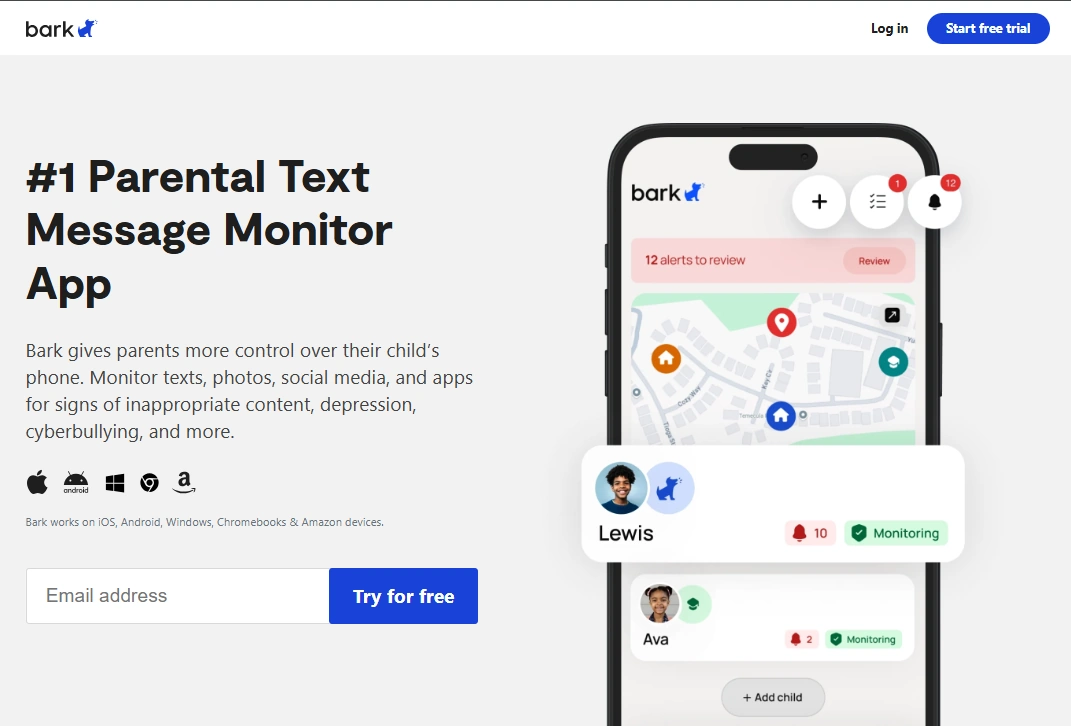
Bark – Monitor Text Messages
Description
Bark is ideal if you want text monitoring to support safety conversations and boundaries. It’s less about “show me everything” and more about helping parents catch risky situations early.
Product highlights
- Parenting-first monitoring style
- Strong fit for safety signals around messaging
- Great for families who value trust + structure
What’s to like
- Healthier long-term vibe for many families
- Good for parents who want fewer “monitoring tool” headaches
What’s not to like
- If you want a feature-maximized monitoring dashboard, Bark may feel too gentle
- Calls aren’t the focus of this offer
PROS
- Best parenting-first option
- Great for message-related safety signals
CONS
- Not a calls-first tool
Legal notes (please read)
Use monitoring tools legally and ethically.
- Only monitor a device you own or have explicit permission to manage (for example, your minor child’s iPhone).
- Monitoring adults without consent may be illegal. Laws vary by country and situation.
- If you’re unsure, start here: Legal phone monitoring: what’s allowed and what’s not.
FAQ
What is the best call and SMS monitoring app for iPhone?
For most parents, mSpy is the best overall choice because it supports a stable call + message monitoring routine and is less likely to be outgrown later. Parentaler is a strong straightforward alternative, uMobix fits a more “dashboard” style preference, Eyezy is great for a simpler texts-focused routine, and Bark is best for a parenting-first safety signals approach.
Do iPhone call and text monitors work without jailbreak?
Many tools can work without jailbreak, but iPhone monitoring has limitations. Expect syncing and partial visibility depending on what “calls” and “texts” mean on the device (regular calls/SMS vs FaceTime/iMessage/app chats). Most parents should avoid jailbreak.
Why do iPhone text monitors miss messages?
On iPhone, “texts” might be iMessage, SMS, or chats in apps like WhatsApp. A tool that monitors SMS-style activity may not cover every chat app automatically, and syncing can be delayed by iOS rules.
Can these apps monitor FaceTime or WhatsApp calls too?
Many call monitors focus on regular call activity signals. FaceTime and VoIP calls inside apps are a separate layer. If your child mainly uses app calls, consider broader monitoring options from the full comparison table.
Is it legal to monitor calls and texts on an iPhone?
It can be legal if you own the device or have explicit permission to monitor it (such as a child’s phone). Monitoring without consent may be illegal, so check your local laws and use monitoring ethically.