

When parents ask “Which app is more reliable?” they usually mean:
- It actually works every day (sync doesn’t randomly stop).
- Alerts are accurate (not constant false alarms).
- Controls stick (screen time schedules and web filters don’t “mysteriously reset”).
- It’s easy to maintain (you’re not troubleshooting weekly).
In this guide, we compare Bark vs Parentaler specifically through the lens of day-to-day reliability for busy parents.
Short on time?
If you want a monitoring/alerts-first parenting style, start with
Bark.
If your priority is simpler “set limits and keep routines” parenting controls, compare it with
Parentaler
and keep the one that feels calmer to manage.
Quick jump: Decision checklist · Verdict · Comparison table · What “reliable” really means · How to test reliability in 30 minutes · Common reliability issues (and fixes) · Reviews · Legal & ethical notes · FAQ
Helpful internal guides: Limit Screen Time Automatically · Monitor Kids Without Invading Privacy · Safest Parental Control Apps for Kids Under 13 · Best GPS Tracker Apps for Families
Bark vs Parentaler — 60-second reliability checklist
- Pick your parenting style: alerts-first (Bark) vs routines/limits-first (Parentaler).
- Start simple: enable only 2–3 core features first (screen time + web safety + location check-ins).
- Test syncing: does the dashboard update consistently after normal phone use?
- Test false positives: do alerts feel meaningful or spammy?
- Check your device reality: Android vs iPhone setup differences can affect “reliability.”
- Choose the one you can maintain: the most reliable app is the one you won’t abandon after week 1.
Verdict: which parental app is more reliable?
Choose Bark if reliability means “I want real alerts I can trust”
- You want a parenting approach built around notifications/alerts and safety signals.
- You prefer checking meaningful alerts instead of digging through logs daily.
- You want a “monitoring + safety” mindset more than just hard limits.
Choose Parentaler if reliability means “simple limits that stick”
- You want a calmer routine: set limits, set schedules, check occasionally.
- You don’t want to manage lots of settings or alerts.
- You value “easy to run for months” over “maximum monitoring.”
My practical take: If you’re overwhelmed, start with the simpler workflow first (usually Parentaler). If you want alerts to do the heavy lifting, Bark is often the better fit.
Bark vs Parentaler comparison table (reliability view)
| Category | Bark | Parentaler | What to look for |
|---|---|---|---|
| Best “reliability” definition | Alerts you can trust | Limits and routines that stick | Pick the workflow you’ll maintain |
| Day-to-day workload | More “alerts/check-ins” style | More “set-and-routine” style | Less workload usually = more consistent use |
| Setup tolerance | Best if you’re OK following setup steps carefully | Often easier for non-tech parents | The easiest setup is usually the most reliable long-term |
| False positives risk | Depends on how many alert categories you enable | Lower if you focus on limits instead of alerts | Start with fewer categories; expand later |
| Best for non-tech parents | Great if you want alerts instead of manual checking | Great if you want simple controls and fewer knobs | Pick the app that feels “calm” in week 1 |
If your main goal is predictable routines, use: How to Limit Screen Time Automatically.
What “reliable” really means for parental control apps
1) Sync stability (the #1 hidden issue)
Many “bad app” reviews are actually permission issues, battery optimization restrictions, or OS limits. Reliability starts with correct permissions and background operation.
2) Alert quality (signal vs noise)
Too many alerts feels unreliable because you stop trusting notifications. The goal is fewer, higher-signal alerts you actually act on.
3) Controls that don’t “break” after updates
Phones update, apps update, policies change. A reliable workflow is one where you can quickly re-check your core settings after a major OS update.
4) A parent workflow you can sustain
The most “reliable” app is the one you don’t abandon. If the dashboard overwhelms you, reliability drops to zero because you stop using it.
How to test Bark or Parentaler reliability in 30 minutes
- Install and finish setup fully (don’t skip permissions).
- Enable only 3 things: screen time, web filtering, location check-ins.
- Trigger a test event: visit a blocked site (harmless test), change location slightly, open a few common apps.
- Check dashboard refresh: does data appear within a reasonable window?
- Check alerts: are they understandable and actionable?
- Restart the child’s phone and re-check that protections still work.
If your priority is YouTube/TikTok reliability specifically, also read: Bark YouTube & TikTok Monitoring Review · Parentaler YouTube & TikTok Controls Review
Common reliability issues (and quick fixes)
Issue: “It worked for 2 days, then stopped syncing”
- Check battery optimization settings and background permissions.
- Confirm the child device didn’t revoke permissions after an update.
- Keep your setup minimal and add features slowly.
Issue: “Too many alerts = feels unreliable”
- Disable lower-value alert categories.
- Keep only high-signal alerts for your child’s risk profile.
- Do weekly review instead of reacting to everything daily.
Issue: “Screen time schedules don’t stick”
- Use fewer schedules (one weekday, one weekend) to reduce complexity.
- Prefer “bedtime + homework block” over many small time windows.
- After OS updates, re-check settings once.
If you want a privacy-first setup that still works, use: Monitor Kids Without Invading Privacy.
Reviews
Bark
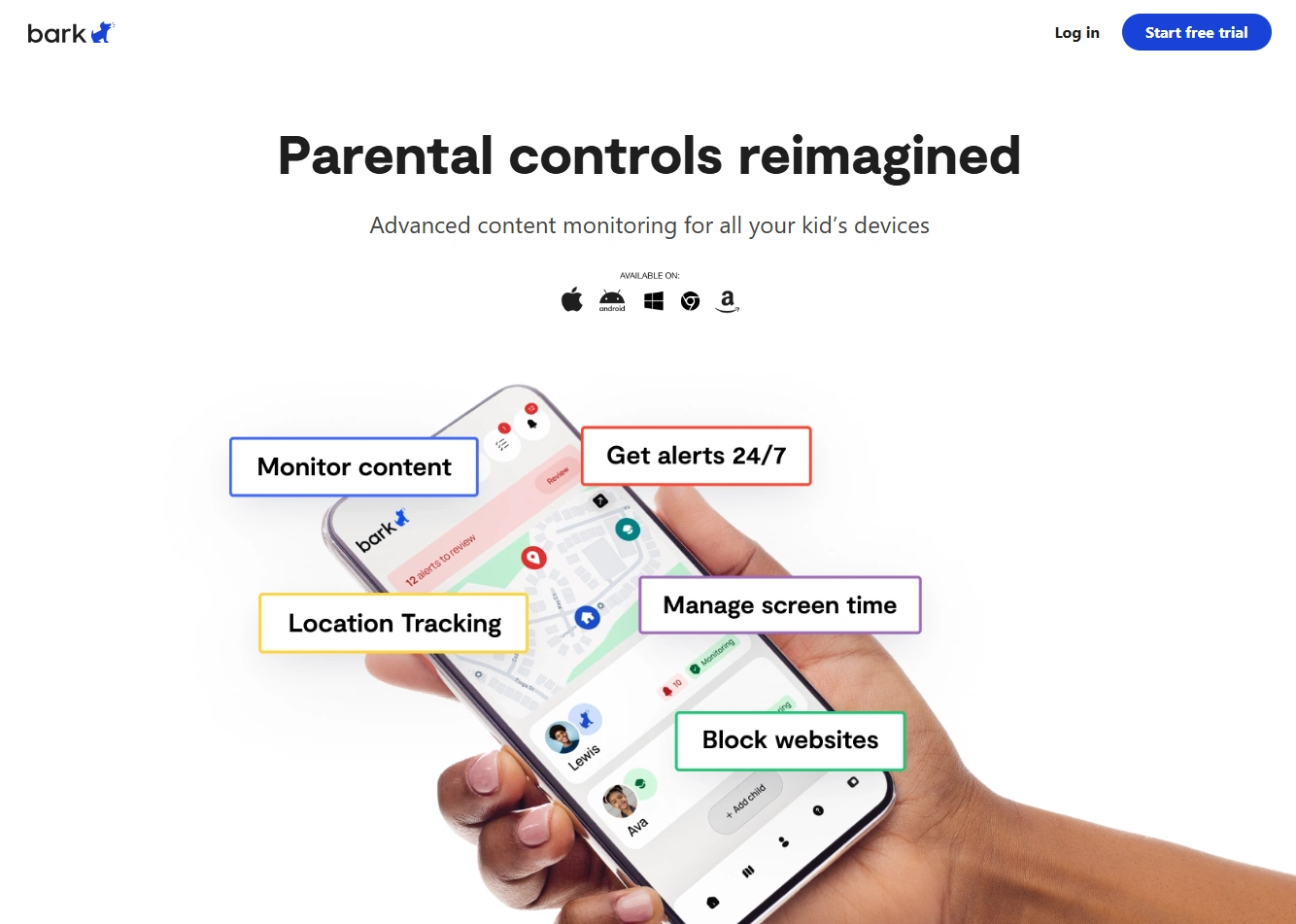
Description: Bark is a strong fit if your definition of reliability is “I want meaningful alerts so I don’t have to manually check everything.” The best way to keep Bark reliable is to start with fewer alert categories, confirm syncing works, then expand slowly.
Product highlights:
- Alerts-first parenting workflow (less manual checking)
- Good for safety check-ins and high-signal notifications
- Works best when you keep setup clean and minimal at first
What’s to like
- Great for parents who want alerts to do the heavy lifting
- Easier to stay consistent when you’re busy (check alerts vs scroll logs)
What’s not to like
- If you enable too many categories, alerts can feel noisy
- Like any parental app, reliability depends on correct permissions and OS limits
PROS
- Strong alerts-first workflow
- Good for parents who don’t want daily manual monitoring
- Pairs well with a safety-first approach
CONS
- Can feel “busy” if you over-enable alerts
- Requires a careful initial setup for best stability
Parentaler

Description: Parentaler is a strong pick if your definition of reliability is “simple limits and routines that stay consistent.” It’s especially good for non-tech parents who want fewer settings and a calmer day-to-day workflow.
Product highlights:
- Routines-first parenting style (limits, schedules, basic controls)
- Good for non-tech parents who want fewer knobs to manage
- Best when you keep policies simple (weekday/weekend + bedtime)
What’s to like
- Often easier to maintain long-term because it feels simpler
- Great for predictable screen-time routines
What’s not to like
- If you want alert-driven monitoring, Bark may fit better
- Like all tools, reliability depends on correct permissions and OS constraints
PROS
- Great for non-tech parents
- Strong “set limits and keep routines” fit
- Lower chance of overwhelm
CONS
- May feel less “alerts-first” than Bark
- Some parents may want more advanced monitoring over time
Legal & ethical notes
Use parental control apps only on devices you own or manage (for example: your child’s phone/tablet you administer). If you’re unsure where the legal line is, read:
Legal Phone Tracking: What’s Allowed and What’s Not
If you want a safer family approach that still protects your kid, this is the best companion guide:
FAQ
Which is more reliable overall: Bark or Parentaler?
It depends on your definition of reliability. If you want alerts to be the “engine” of your monitoring, Bark is often the better fit. If you want a simpler routine of limits and schedules that you can maintain long-term, Parentaler is often the calmer choice.
How can I tell if an app is reliable on my child’s phone?
Do a 30-minute test: enable only screen time + web filtering + location check-ins, trigger a test event, restart the phone, and confirm syncing still works afterward.
Why do parental control apps stop syncing?
The most common reasons are battery optimization, revoked permissions after updates, or background restrictions. Re-check background permissions and keep your setup minimal.
Which one is better for non-tech-savvy parents?
If you want fewer settings and a calmer workflow, Parentaler is usually easier. If you want alerts to reduce manual checking, Bark can be easier in a different way.
Is it legal to use these apps?
Use them only on devices you own or manage (like your child’s device). Secretly monitoring another adult’s personal device is usually illegal. Guide: Legal Phone Tracking.