

“School device monitoring” shouldn’t feel like spyware. Done right, it’s a safety system: it helps staff spot self-harm signals, bullying, threats, and risky behavior in school-managed accounts and devices—without turning classrooms into surveillance zones.
Bark for Schools is Bark’s school-focused solution designed around that idea: monitor school communication channels (like email and cloud docs) and surface high-risk alerts so staff can respond appropriately.
This review covers what actually matters in real life: alert quality (false positives vs true risks), coverage (email/docs/devices), admin workload, and how to roll it out without parent backlash.
Short on time? Quick verdict
- Best fit: schools/districts that want a safety layer focused on email + docs + device signals with clear, actionable alerts.
- Big win: helpful when you need to catch “quiet” risks (self-harm ideation, threats, grooming signals) that don’t show up in discipline referrals.
- Main risk: rollout and policy. If your staff isn’t ready to respond to alerts, monitoring creates liability and community distrust.
Quick jump: Decision checklist · Verdict · Comparison table · What really matters · Best for your situation · Setup tips · Review · Legal notes · FAQ
60-second decision checklist
- What are you monitoring? School-managed email, docs/drive, and devices is the normal (and defensible) scope.
- Who will respond to alerts? If you don’t have a triage owner (counselor/admin/safety lead), don’t deploy yet.
- Do you want safety signals, not discipline surveillance? Choose a tool that prioritizes high-risk alerts over “gotcha” tracking.
- How will you explain it to parents? Your policy and messaging matter as much as the software.
- Do you need Chromebook/laptop coverage? If yes, compare with Chromebook-focused options too.
- Do you already have MDM? Device monitoring works best when it complements device management, not replaces it.
Helpful next reads: how to talk to your child’s school about device monitoring · best school device management tools
Verdict: who should use Bark for Schools?
Bark for Schools is best for
- Schools/districts focused on student safety (self-harm, threats, bullying, grooming signals) across school-managed communication.
- Teams that want actionable alerts without turning staff into full-time investigators.
- Organizations ready to operationalize response (triage workflow, escalation rules, documentation).
Bark for Schools is not ideal for
- “Monitoring” use cases or covert monitoring of personal devices. That’s a policy/legal problem, not a software feature.
- Districts with no response capacity (no triage owner, no escalation process, no documentation standard).
- Teams expecting perfect accuracy. Every monitoring system needs tuning to reduce false positives.
If you’re comparing school monitoring categories first, use: best parental control apps for schools and best Chromebook/laptop monitoring apps for schools.
Comparison table (Bark for Schools vs common alternatives)
| Option | Best for | Strength | Trade-off |
|---|---|---|---|
| Bark for Schools | Student safety monitoring with actionable alerts | Safety-oriented signals (email/docs/device context) + response workflow potential | Needs policy + tuning + staff capacity to respond |
| Securly / GoGuardian / Lightspeed | Classroom web filtering + device-focused supervision | Strong for day-to-day classroom device control and browsing policy enforcement | May be more “policy enforcement” heavy depending on config and culture |
| MDM tools (Intune / JAMF / etc.) | Device management at scale | Provisioning, profiles, restrictions, app deployment | Not a full “student safety signals” system by itself |
What really matters for school monitoring (email, docs, devices)
1) Alert quality beats “we monitor everything”
The best school monitoring solution is the one that produces actionable alerts with minimal noise. Too many false positives = staff stops trusting the system. Too few alerts = false sense of safety.
When evaluating Bark for Schools, ask: How easy is it to tune categories? Can staff mark alerts as resolved? Can you document outcomes?
2) Coverage: where risks actually appear
For many students, the highest-risk content shows up in places adults don’t casually see: school email, shared documents, chat-like collaboration, and searches on school-managed devices. Monitoring those channels makes more sense than trying to “monitor” on private phones.
3) Response workflow is non-negotiable
Software can surface a signal, but it can’t do the human part. You need a triage path: who gets notified, what’s the threshold for escalation, and how you handle after-hours alerts.
If you’re building a parent-school collaboration approach, start here: joint screen time & homework plan between school and home.
4) Student trust and parent trust determine success
Monitoring can protect students, but it can also damage trust if communicated poorly. Your policy should clearly say: what’s monitored, why, who sees it, retention, and how you protect privacy.
5) “Monitoring apps” are usually the wrong tool for school-managed devices
If someone suggests using consumer monitoring apps for a school fleet, that’s usually a red flag. Managed environments require transparent policy, proper admin tools, and compliance considerations.
Related: mSpy in schools? why it’s usually a bad idea for managed devices.
Best for your situation
Best for districts that want safety signals without micromanaging classrooms
Bark for Schools fits best when your goal is safety detection and response—not daily “gotcha” enforcement. Pair it with a clear response team and simple documentation.
Best for Chromebook-heavy schools
If your ecosystem is mostly Chromebooks, prioritize Chromebook/laptop coverage and compare solutions in that category.
Best for schools that need shared-device simplicity
If devices are shared across classes and you need simple controls, compare “shared device” style tools too.
Parentaler for Schools review · Best school device management tools
Setup tips & common issues (what makes or breaks rollout)
1) Write the policy before you turn anything on
- What channels are monitored (school email, docs/drive, school devices)?
- What categories trigger alerts (self-harm, threats, bullying, explicit content)?
- Who sees alerts and how long data is retained?
- What happens after an alert (triage, parent contact, counselor referral, emergency escalation)?
2) Start with a pilot and tune for noise
Pick one school or one grade band. Expect false positives in the first weeks. Your goal is not “zero false positives,” it’s high trust in the alerts that remain.
3) Train staff on “what to do next”
The most common failure mode is alerts landing in inboxes without a clear action plan. Decide what requires counselor review vs admin review vs immediate escalation.
4) Communicate to parents like a safety program, not surveillance
Parents accept monitoring when it’s framed as safety on school-managed systems, with privacy protections. They reject it when it sounds like secret monitoring.
Useful: how to talk to your child’s school about device monitoring.
Bark for Schools review
Description
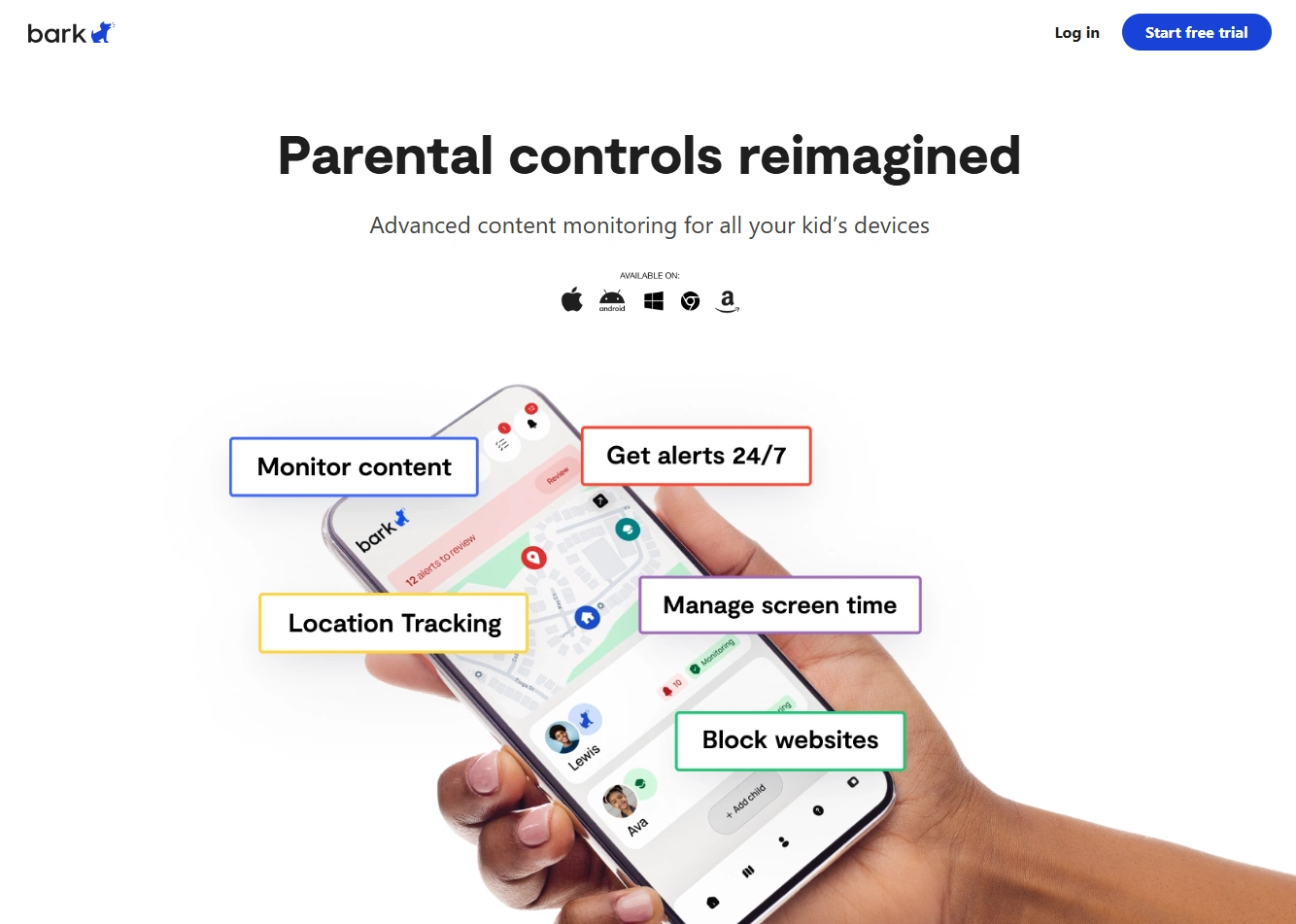
Bark for Schools is designed to help schools monitor school-managed communication channels (like email and cloud docs) and surface safety-related risks. The best way to think about it is a student safety signal system: it’s not about catching rule-breaking—it’s about identifying high-risk situations early enough to respond.
Product highlights
- Monitoring focus on school-managed channels (email/docs/device context)
- Alert-based workflow that can support a triage team
- Designed for safety signals (self-harm, threats, bullying indicators) rather than “monitoring” behavior
- Works best when paired with device management + clear school policy
What’s to like
- Strong fit for schools that want to catch “quiet” risks early
- More defensible than consumer monitoring tooling because it aligns with managed-device governance
- Can reduce reliance on “students reporting everything” (which often doesn’t happen)
What’s not to like
- Requires staff capacity and a response workflow—software alone doesn’t solve safety
- False positives are inevitable and need tuning (especially early)
- Rollout messaging can backfire if parents think it’s covert surveillance
PROS
- Safety-first positioning for school environments
- Useful for districts building a structured triage response
- Pairs well with broader device management strategies
CONS
- Not a replacement for MDM or web filtering in many schools
- Staff training and documentation are required to avoid liability
- Effectiveness depends on policy quality and follow-through
Explore Bark for Schools resources View Bark products & pricing
If you want a practical “how-to” for Bark in school contexts, read: how to use Bark on school tablets and laptops.
Legal notes
School monitoring should be limited to school-managed accounts and devices, backed by written policy, appropriate consent/notice, and a defined response process. Avoid “covert monitoring” on personal devices—it creates serious legal and ethical risk. For general boundaries and compliance mindset, see: Legal phone tracking: what’s allowed and what’s not.
FAQ
What does Bark for Schools monitor?
Bark for Schools is typically used to monitor school-managed communication channels (like school email and cloud documents) and surface high-risk safety signals. Exact coverage depends on how the school deploys it and what systems are integrated.
Is Bark for Schools the same as Bark for parents?
No. Bark for Schools is designed for school environments and managed accounts/devices, while Bark’s family products are designed for parents managing a child’s device at home.
Does Bark for Schools replace web filtering or MDM?
Usually not. Web filtering and MDM handle policy enforcement and device management; safety monitoring tools focus on risk signals and alerts. Many schools use them together.
How do schools reduce false positives?
Start with a pilot, tune categories, and train staff to classify alerts. The goal is a trusted alert stream—not “monitor everything all the time.”
What’s the biggest rollout mistake schools make?
Turning on monitoring without a response workflow. If alerts arrive and nobody owns triage, you create liability and lose community trust.
Is school device monitoring legal?
It can be when limited to school-managed systems with clear policy, notice/consent, and privacy protections. Laws vary by location, so districts should align deployment with applicable regulations and school governance requirements.